Grayscale Image Online Free
Grayscale image online in the tab. Convert a color photo to black and white. The preview is the file you download. Nothing is uploaded.
Drop a photo to grayscale
Add 1–30 photos. JPG, PNG, WebP, GIF, BMP, AVIF.
100% private — the grayscale stays in this browser.
Settings
Grayscale image
Grayscale removes hue. Drag Amount if you want some color left. This page does not invert colors, blur, or pixelate.
100% is a full grayscale image. Drag left to mix some of the original color back in. This is not a one-color keep or a sepia tint.
Download as
Advanced
Leave this closed for a full grayscale image. Open it to jump to Soft, Medium, or Heavy. Amount still lives on the slider above.
Grayscale preset
100% local
The grayscale converter runs in this browser. The photo never leaves the tab.
No upload
Nothing is sent to a server to finish the black and white file.
Free, no account
No signup, no watermark. Download JPG, PNG, or WebP.
Also on this site: Split Image · Flip Image · Rotate Image · Invert Image Colors · Blur Image · Pixelate Image · Merge Images · Image Compressor · AI Image Upscaler
What is a grayscale image?
This page is a browser grayscale image tool — a grayscale converter for a file you already have. You add a photo and each pixel keeps its brightness but drops its hue. People type grayscale image, greyscale image, black and white image, convert image to grayscale, make image grayscale, or grayscale converter. The job is the same: a still you can download as JPG, PNG, or WebP.
Grayscale is not invert. Invert Image Colors keeps hue and swaps each channel to its opposite, so a red shirt becomes cyan. Grayscale throws the hue away. It is also not a 1-bit fax, not a sepia tint, and not a “keep one color” poster. Those are different products. It is not a Photoshop, Lightroom, Canva, GIMP, or Illustrator lesson. Those searches want a menu in another app.
The file never goes to our server. JPG, PNG, WebP, GIF, BMP, and AVIF are welcome. HEIC, TIFF, and PDF are declined on purpose. One photo is enough. A small batch uses the same amount on every file. Colorize, RGB restore, OpenCV notebooks, and video stay off this URL.
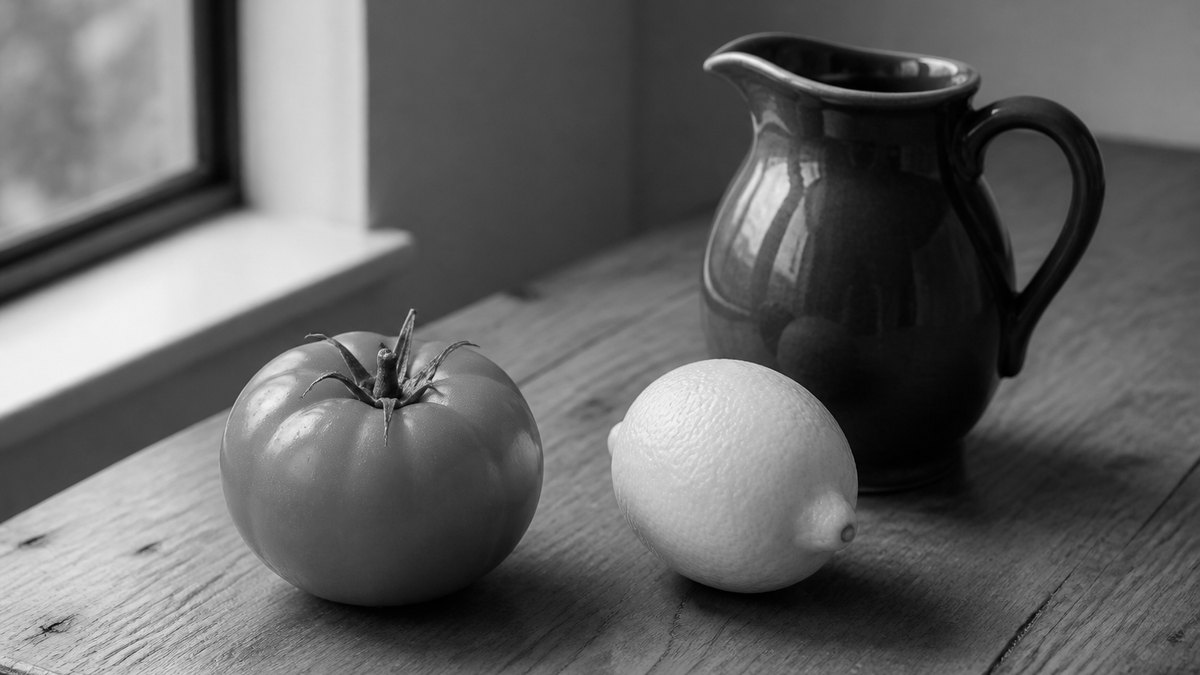
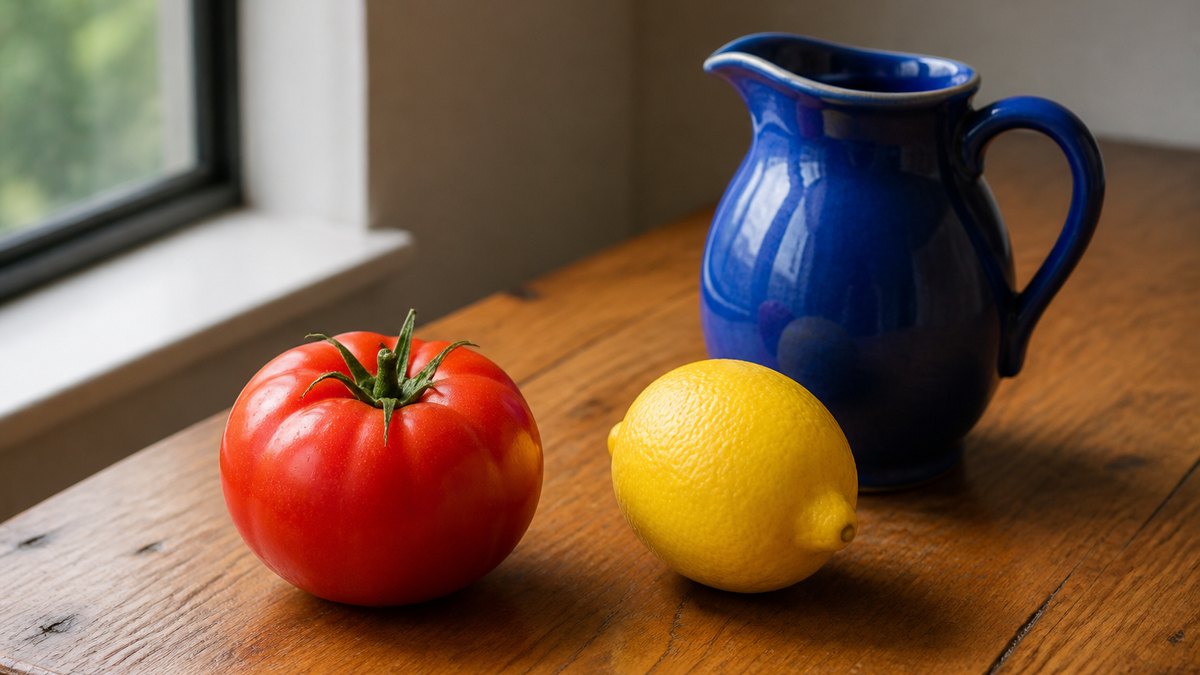
What you can do here
One photo is enough for a grayscale image job, a black and white photo, or a convert image to grayscale download. The same grayscale converter also covers greyscale image and make image grayscale. A small batch uses the same amount on every file.
Full grayscale in one add
Grayscale is already on when the photo opens. The formula is Rec. 709 luminance — greens stay a little brighter than reds, the way a display usually treats brightness. You do not press Convert and wait for an upload.
Amount if you want a fade
Leave Amount at 100% for a full grayscale image. Drag left to mix some of the original color back in. Soft jumps to a partial mix. This is not a painted mask and not a single-hue keep.
Live preview
What you see in the box is what you save as JPG, PNG, or WebP. Identity under the preview shows the filename, pixel size, and grayscale amount.
Stays on this device
JPG, PNG, WebP, GIF, BMP, or AVIF. Each file under 40 MB, up to 30 photos. HEIC, TIFF, and PDF are declined. A side longer than 8000 px is scaled down before the convert so the tab stays usable.
How to convert an image to grayscale in 3 steps
Works on a phone or a computer. No account. Same path for grayscale image online, black and white image, and make image grayscale.
Add a photo
Drop a JPG, PNG, or WebP on the dashed box, or pick a file. One photo is enough. You can add more if you want the same grayscale on a batch.
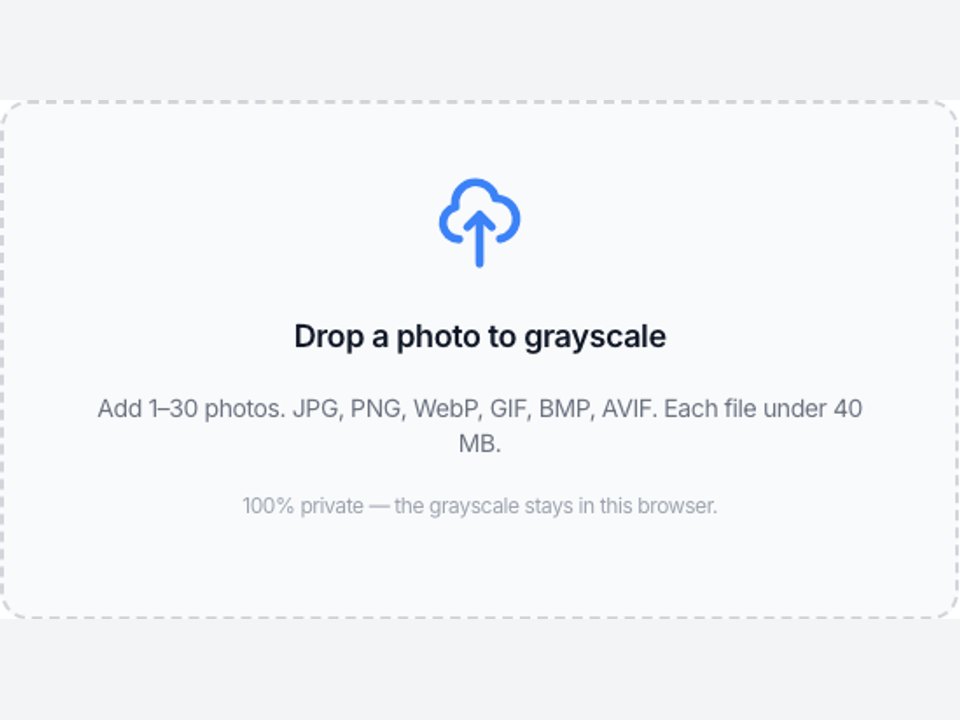
Check Amount, then peek at Original
Grayscale is already on at 100%. Drag Amount only if you want a fade. Original shows the color file without changing the download until you Grayscale again.
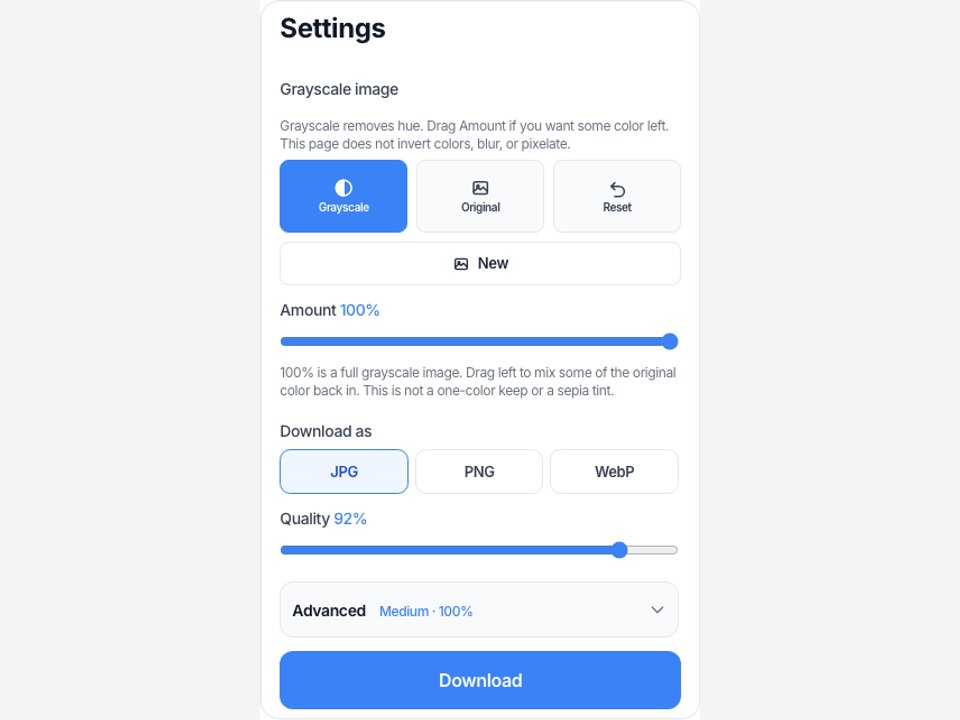
Download the grayscale file
View it here, copy it, or download JPG, PNG, or WebP. Two or more photos download as a ZIP with the same grayscale amount on each file.
Why grayscale here
This page only writes gray tones onto a still. Grayscale image, greyscale image, black and white image, and grayscale converter are the same job in the search box.
No upload
The file never goes to our server to finish the grayscale image job. Closing the tab clears it from this page. That is the same privacy rule as Invert Image Colors and the rest of this site.
The preview is the download
You do not press Convert, then wait, then guess which file came back. What you see in the preview is what you save. Identity shows the filename, pixels, and amount.
Honest about other apps
We do not walk you through Photoshop, Lightroom, Canva, GIMP, or Illustrator. If you need those channel mixers, use those apps. If you need a grayscale JPG now, use this box.
Not invert and not a restorer
A color negative is Invert Image Colors. A mosaic hide is Pixelate Image. This page will not colorize a gray photo or run an OpenCV script.
Limits and tips
- 100% Amount is a full grayscale image. Lower Amount keeps a wash of the original color. It is not a brush and not a color-keep.
- A grayscale file cannot get its original hues back on this page. Keep the color original if you still need it.
- A color negative is Invert Image Colors. A soft wash is Blur Image. Mosaic blocks are Pixelate Image.
- Each file must stay under 40 MB. A side longer than 8000 px is scaled down before the convert.
- HEIC from iPhone, TIFF, and PDF are rejected. Save a JPG or PNG first.
- PNG keeps transparency. JPG fills empty pixels with white because JPEG has no alpha.
- This is not sepia, not a 1-bit threshold, and not an 8-bit homework dump. Those searches want another product.
- You own the photo you add. This page is not legal advice and does not grant a copyright license.
Jobs that finish on this page
These are grayscale image jobs. Software-menu searches stay off this list on purpose.
Print a color photo in black and white
A portrait or a product shot that should go to a mono printer or a newspaper-style post. Leave Amount at 100%, View at full size, then download PNG if you want a clean encode.
Input: One JPG or PNG photo
Setting: Grayscale on, Amount 100%
Output: One grayscale JPG or PNG
Caveat: This is not a print ICC profile and not a RIP. Check the download before you send it to a press.
Same gray on a small batch
A folder of event photos that all need the same black and white look. Add up to 30, keep Amount, download the ZIP.
Input: Several JPG files
Setting: Same Amount on all
Output: A ZIP of grayscale files
Caveat: It is not a desktop folder watcher or a 100-file factory.
A fade, not a full strip
A social still that should look almost gray but keep a hint of the original color. Drag Amount toward Soft, then View.
Input: One PNG photo
Setting: Amount around 55%
Output: One mixed JPG or PNG
Caveat: This is not a selective color poster and not a Lightroom HSL mix.
Grayscale here, or use a neighbor tool?
Use this page
Convert a photo to grayscale
Use this URL when you need to grayscale image, convert image to grayscale, make a black and white photo, or download a grayscale converter result. The preview is the file. Invert, blur, and pixelate live on other URLs.
Use a related tool
Invert, soften, mosaic, or cut tiles
Need a color negative instead of gray? Use Invert Image Colors . Need a soft wash? Use Blur Image . Need mosaic blocks? Use Pixelate Image . Need a left-right mirror? Use Flip Image . Need Instagram tiles? Use Split Image . None of those pages make a grayscale image.
Grayscale image FAQ
What is a grayscale image? +
A grayscale image keeps brightness and drops hue. This URL is a grayscale converter: add a picture and each pixel becomes a shade of gray. You can download that still as JPG, PNG, or WebP. It is not invert, not sepia, and not a camera filter that only previews a look.
Is grayscale the same as greyscale or black and white? +
On this page, yes — one URL. Greyscale is the same spelling job. Black and white image, in everyday search, usually means this same gray still, not a 1-bit fax with only two tones. If you need a hard threshold, that is a different product and we will not pretend this box does it.
How do I convert an image to grayscale? +
Add a JPG, PNG, or WebP. Grayscale is already on at 100%, so the preview is the gray file. Download that file. You do not need Photoshop, Canva, or a desktop installer for this convert image to grayscale job.
Is this grayscale image online free? +
Yes. This page is a free grayscale image online tool and a free grayscale converter. You do not create an account. There is no paid unlock for the gray itself, and the file stays in this tab.
Can I grayscale image on iPhone or Android? +
Yes. Use Safari or Chrome. Add a JPG or PNG, leave Grayscale on, then download. You do not install a grayscale image app. iPhone Photos does not write this file for you.
How do I make an image grayscale on Windows or Mac? +
Open this page in Chrome, Edge, or Safari. Drop a JPG or PNG. The preview is already the grayscale image. Download the file. You do not need Photos, Preview, or Paint for a simple make image grayscale job.
How do I grayscale an image in Photoshop, Canva, GIMP, or Illustrator? +
This page does not open those apps. Those searches want a menu in that software. If you already have a JPG or PNG export, drop that file here to grayscale image online and download a new still. We will not pretend this URL is their tutorial.
Is invert the same as grayscale? +
No. Invert keeps hue and swaps each channel to its opposite. Grayscale removes hue. A red shirt becomes cyan on Invert Image Colors and a mid gray here. Use that other URL if you want a negative.
Can I get the color back later? +
Not from the grayscale download. The hues are gone once you save that file. Keep the original color photo if you still need it. This page also will not colorize a gray picture or guess RGB.
What formats can I convert? +
JPG, PNG, WebP, GIF, BMP, and AVIF. Each file must stay under 40 MB. HEIC, TIFF, PDF, and SVG are rejected. Convert those to JPG or PNG first, then add the converted file to this grayscale converter.
Can I download a PNG or keep transparency? +
Yes. Add the PNG, leave Grayscale on, and pick PNG under Download as. Transparent pixels stay transparent. JPG fills those pixels with white because JPEG has no alpha channel. There is no PSD export.
Can I convert more than one image at once? +
Yes. Add up to 30 photos. The same Amount applies to each file. Download one, or download all as a ZIP. That covers a small batch grayscale images job. It is not a desktop folder watcher or a 100-file factory.
Do I need to log in or upload? +
No. Add a photo, convert it, download it. There is no account wall and no watermark. The grayscale runs in this browser. We do not upload the photo to finish the grayscale image online job.
Does this keep one color or add sepia? +
No. Color-keep, selective color, and sepia are different looks. This page only mixes Rec. 709 gray with the original. If you want one red flower on a gray street, that is not this URL.
Is this an OpenCV, Python, or 8-bit class tool? +
No. Searches like grayscale image in Python, 28×28, 8-bit grayscale, or class 10 notes want a notebook or a textbook. This page only converts a photo you already have. We will not ship sample arrays or MNIST dumps here.
Can I grayscale a video or use a text prompt? +
No. Video and prompt searches are a different job. This grayscale converter only accepts stills. There is no text prompt and no timeline.
Does grayscale image reduce quality? +
The convert itself is supposed to drop hue. Pixel structure around those grays stays cleaner if you pick PNG. JPG or WebP re-encode uses the quality slider. A side longer than 8000 px is scaled down before the convert.
Is this legal, and who owns the photo? +
You keep the rights to the file you add. We do not store it and we do not give you a copyright license for someone else’s picture. This is not legal advice. If the photo is not yours to edit, do not use this grayscale tool on it.
Ready to grayscale image online
Add a photo above. Grayscale is already on. Download when the black and white look is right.
Grayscale image