Add Grid to Photo Online Free
Drop a picture. This add grid to photo tool draws rows and columns on the still, then you download PNG, JPG, or WebP with the lines baked in.
Drop a photo to overlay a grid
or browse, or paste from the clipboard
Choose a photo
Rows and columns
Default 8×8 overlay. Square cells, labels, and diagonals are optional.
No upload
The photo stays in this browser while you set color, thickness, and opacity.
PNG, JPG, WebP
The lines are painted into the pixels. There is no PDF export on this page.
Also on this site: Add Stroke · Instagram Grid Maker · Split Image
What this add grid to photo tool does
An add grid to photo overlay paints evenly spaced lines on top of one still. You keep the original picture; the cells are a measuring layer for drawing, mural scaling, embroidery, or classroom copy work. The download is the same photo with those lines burned in, not a stack of cropped tiles.
Rows and columns default to eight by eight. Square cells lock the box size to the column count so the last row can be a partial strip on a tall picture. Color, thickness, and opacity sit on the line itself. Optional labels live in a paper margin around the photo, and optional diagonals mark an X in each cell.
The picture stays in this tab. PNG, JPG, and WebP all save. This page does not cut Instagram posts, does not write a measured PDF, and does not draw hex or battle maps.
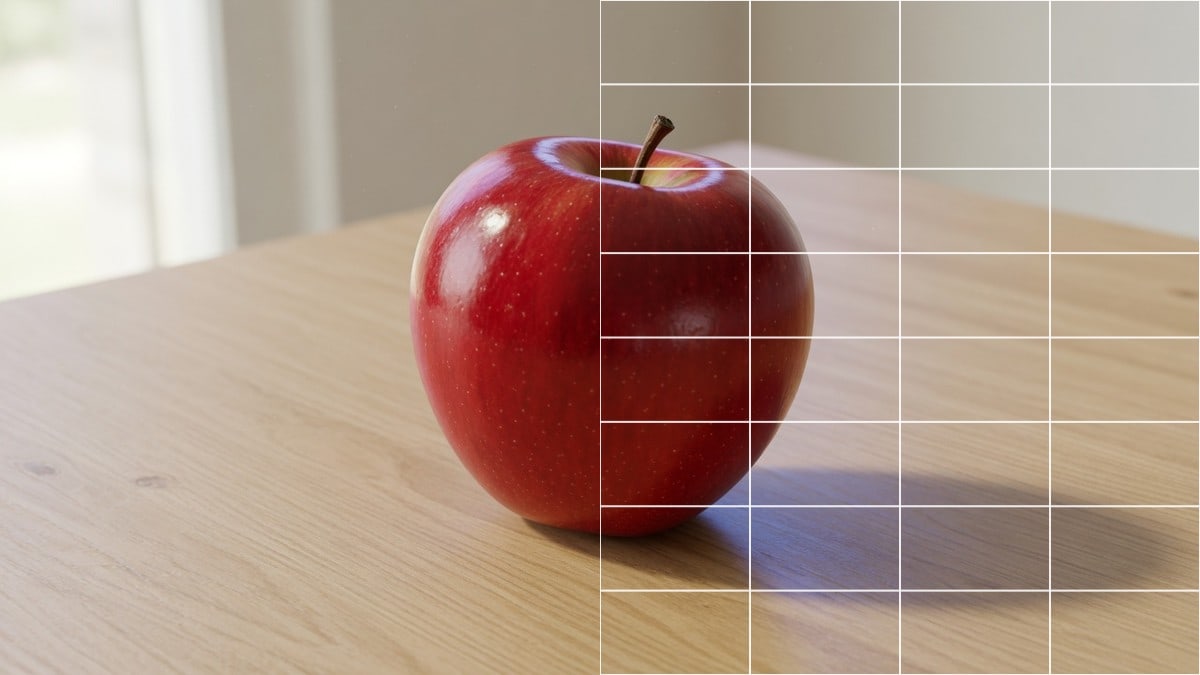
Grid overlay controls
One photo, one overlay, one file you can print or open in a drawing app.
Rows and columns
Set how many boxes sit across and down. Eight by eight is the usual drawing start; three by three and four by four are the same sliders.
Square cells
Lock the cell to a square from the column count. A tall photo then ends on a partial last row instead of stretching rectangles.
Color, thickness, opacity
White reads on a dark still. Black reads on a pale still. Fade the photo if the subject is fighting the lines.
Labels, dashes, diagonals
A1-style labels sit in a margin outside the picture. Dashed lines and an X in each cell are optional and stay off until you turn them on.
How to add a grid to a photo
Three moves. The overlay updates as soon as the photo opens.
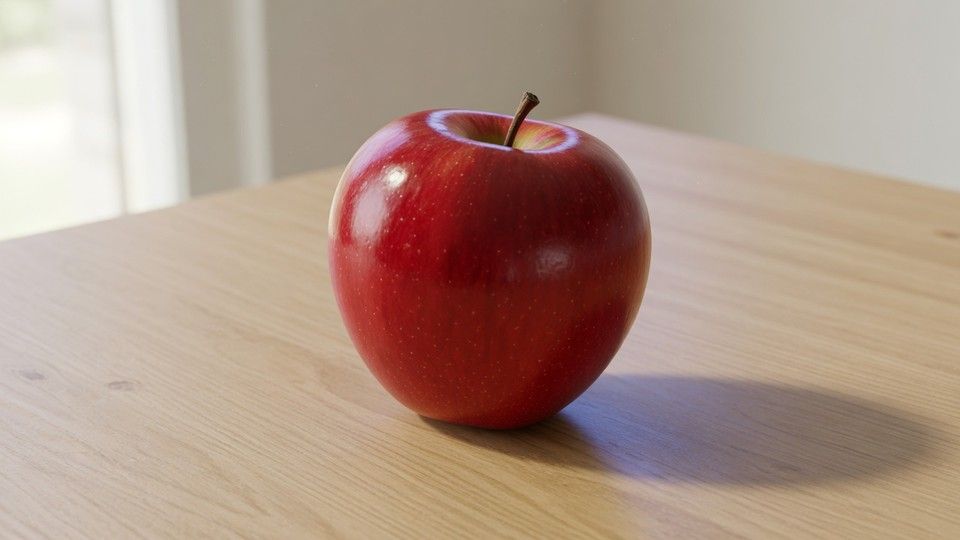
Add the photo
Drop a JPG, PNG, or WebP, browse for it, or paste it. The picture stays in this tab and is not sent to a server.
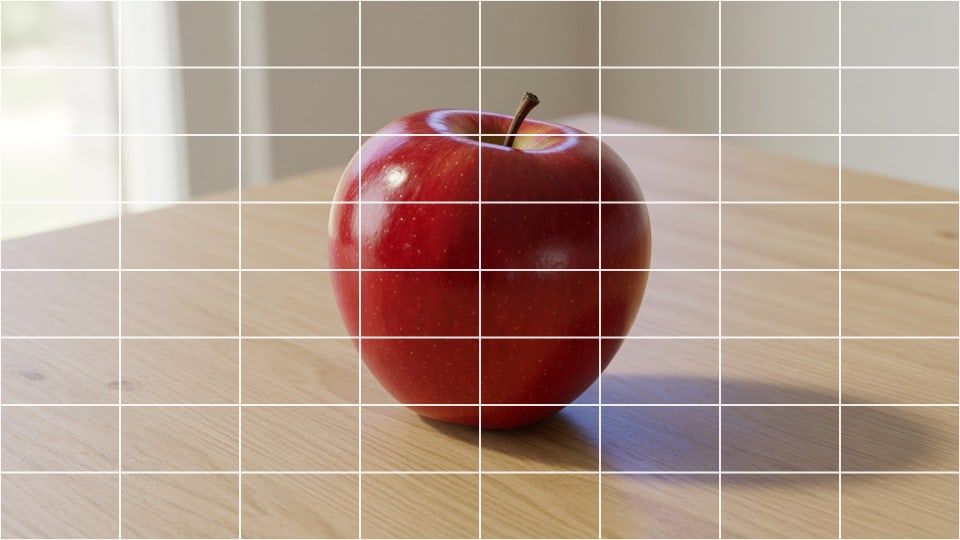
Set the overlay
Choose rows and columns, pick a line color, and move thickness and opacity. Turn on square cells, labels, or diagonals if the drawing job needs them.
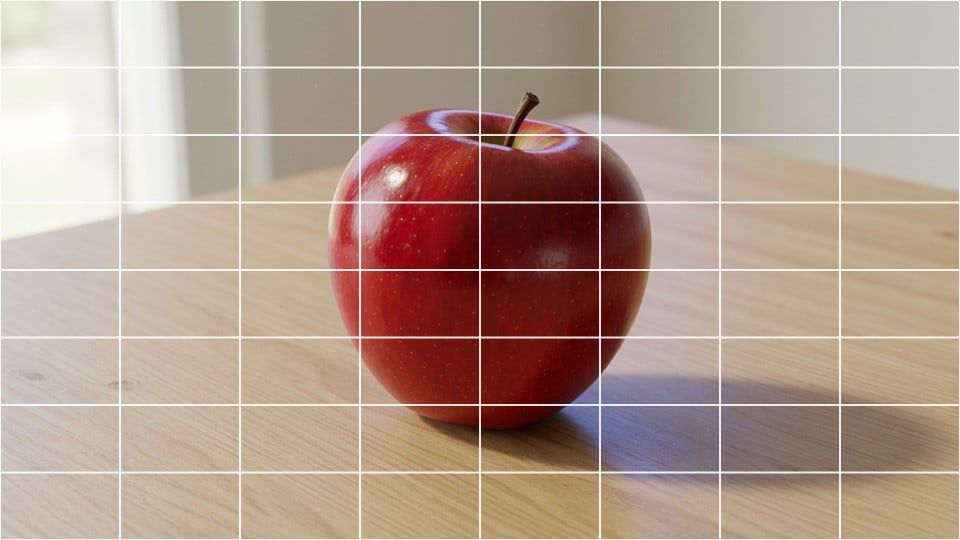
Download the file
Save PNG, JPG, or WebP. The lines are painted into the pixels. Copy puts a PNG on the clipboard. The long side is capped at 4096 pixels.
Why overlay in the browser
A drawing grid only helps if you can see the cells on the real photo before you print.
You see the lines on the still
The preview is the file you will save. You can tell whether the color reads before you download.
The photo is not cut
This overlay keeps one picture. Tile cutters for Instagram live on other URLs on this site.
No account
There is no signup, no watermark, and no credit charge for another photo.
Private on this device
The overlay runs in the browser. Close the tab and the photo is gone with it.
Tips and limits
- Match the paper: if the sheet is ten squares across, set ten columns here so each cell on the photo maps to one cell on the page.
- A dark photo wants a pale line. A pale photo wants a dark line. Opacity beats thickness when the subject is busy.
- Square cells keep proportions honest for portraits. Turn that lock off only when you need stretched rectangles that fill the frame.
- This page overlays still images. It does not key a video, open GIMP or Photopea, write a print-size PDF, or turn the iPhone camera grid on.
Where a gridded photo gets used
Anywhere you need to copy a picture one square at a time.
Drawing from a reference
The grid method copies one cell at a time so a face or a still life keeps its proportions on paper.
Classroom and mural scale
Teachers print the same cell count the students rule on the page. Mural painters scale a small photo onto a wall the same way.
Embroidery and counted work
A pale overlay turns a photo into a counted pattern you can stitch or bead without cutting the picture apart.
What this page will not do
This overlay is not Instagram Grid Maker and it is not Split Image. Those pages cut a picture into tiles you post one by one. Here the photo stays whole and the lines sit on top.
It is not a GIMP, Photopea, or Photoshop lesson, and it is not the iPhone camera composition grid. Overlay the still here, download the file, and place that file in the other program yourself.
It does not export PDF, Excel, or Word. It does not draw hex, pixel-art, battle, or Dungeons & Dragons maps. Print the PNG if you need a paper copy; this URL does not measure centimetres on A4.
Add grid to photo questions
How do I add grid to photo files in the browser?
Drop a picture into this add grid to photo tool. Set rows and columns, pick a line color, then download PNG, JPG, or WebP with the overlay baked in. The still stays in this tab.
Is this add grid to photo overlay free?
Yes. There is no account, no watermark, and no charge to overlay a file and save it. You can open another picture after the first one without a daily cap on this page.
Can I use this online in a browser?
Yes. The page runs in this tab on a current desktop or phone browser. You do not install a program, and the photo is not sent to a server before you download the gridded file.
Do I need an app or browser extension?
No. A current browser is enough. Drop the file, paste it, or browse for it. Nothing extra has to be installed to move the sliders or save the overlay.
Does it work on iPhone and Android?
Yes. The phone file picker can open the camera roll. The overlay and the download are the same PNG, JPG, or WebP you would save on a computer. This is not the iPhone camera grid inside the Camera app.
How do I add a 3x3 or 4x4 grid to a photo?
Set rows to 3 and columns to 3, or 4 and 4. The overlay is still one picture with lines on it. If you wanted nine separate Instagram tiles, use Instagram Grid Maker instead of this overlay.
What is the grid drawing method?
You copy the photo one cell at a time onto paper that has the same number of squares. The overlay on this page is the photo half of that pair; you still rule the matching grid on the sheet yourself.
Can I change the grid color, thickness, and opacity?
Yes. White, black, and a few presets sit next to a hex picker. Thickness is in pixels on the source. Opacity fades the line when a busy subject would hide a solid stroke.
What are square cells on this overlay?
Square lock sizes every box from the column count. A tall photo then ends on a partial last row instead of squeezing rectangles. Turn it off when you want rows and columns to fill the frame independently.
Can I add A1 labels or diagonal X marks?
Yes. Labels sit in a paper margin around the picture so they do not cover the subject. Diagonals draw an X in each cell. Both stay off until you turn them on.
What file do I get — JPG, PNG, WebP, or PDF?
PNG, JPG, or WebP. This add grid to photo page does not write a PDF, a PSD, or an Excel sheet. Print the PNG if you need paper; there is no centimetre-accurate A4 export here.
Is my photo uploaded?
No. The picture is opened and overlaid in your browser. Close the tab and it is gone. This site does not keep a copy of the add grid to photo file.
Is this the same as Instagram grid maker?
No. Instagram Grid Maker and Split Image cut tiles you post one by one. This overlay keeps the photo whole and only draws lines on it. Use the tile pages when the job is a feed, not a drawing reference.
Can this add a grid in GIMP, Photopea, or the iPhone camera?
No. Those apps have their own grid panels. Overlay the still here, download the file, and open that file in GIMP or Photopea if you still need a layout around it. The iPhone Camera grid is a viewfinder overlay, not a saved file.
Can I add a hex, pixel, or battle grid?
No. This page draws rectangular rows and columns. Hex maps, pixel-art mesh, and Dungeons & Dragons battle maps are a different tool and are not offered on this URL.
How do I print the gridded photo at the right size?
Download the PNG and print it from your usual print dialog. This page does not measure centimetres on A4 or write a true-size PDF. Match the cell count on the paper, not a millimetre scale from this tab.
How do I transfer the same grid onto paper?
Count the columns on the overlay and rule the same number of squares on the sheet. Copy one cell at a time. Labels help you find a cell; they are optional and sit in the margin.
Will this save to iCloud, Google Drive, or Excel?
No. The download lands in the browser download folder as PNG, JPG, or WebP. Move that file into iCloud, Drive, or a document yourself. This overlay does not talk to those accounts.
Overlay the drawing grid
Add a photo, set the lines, and download the file. It stays in this browser.
Open the tool