Rotate Image Online Free
Turn a photo 90°, 180°, or any degree. The preview is the file you download. Nothing is uploaded.
Drop a photo to rotate
Add 1–30 photos. JPG, PNG, WebP, GIF, BMP, AVIF.
100% private — rotation stays in this browser.
Settings
Rotate
90° left or right, 180°, or any angle. The preview is the file you download.
Any degree. Off 90° the canvas grows so corners stay in the picture.
Download as
Empty corners
JPG cannot be transparent — that is the file format, not a missing option. PNG and WebP can leave those corners clear.
Need a mirror, not a turn?
Flip ImageNeed tiles instead?
Split Image100% local
The rotate runs in this browser. The photo never leaves the tab.
Any angle
90° and 180° presets, plus a degree slider. Off-square turns keep the whole picture.
Free, no account
No signup, no watermark. Download JPG, PNG, or WebP.
Also on this site: Split Image · Flip Image · Merge Images · AI Image Upscaler
What is this rotate image tool?
This page is a browser image rotator. You add a photo, turn it 90° left or right, 180°, or any degree on the slider, and download the file. That is a rotate image or rotate photo job — same pixels, new orientation. A 90° or 180° turn keeps the original pixel box. A free angle grows the canvas so corners stay in the picture.
It is not a Canva, Photoshop, Word, Lightroom, or iPhone Photos lesson. Those searches want menu clicks in another app. Here the rotate happens in the tab you already have open. A left-right or top-bottom mirror lives on Flip Image. Cropping the new empty corners is a later job.
The file never goes to our server. JPG, PNG, WebP, GIF, BMP, and AVIF are welcome. HEIC, TIFF, and PDF are declined on purpose. One photo is enough. A small batch uses the same angle on every file.
People also search rotate photo, rotate picture, image rotator, and rotate image online. Those jobs finish on this URL. A CSS class, a leetcode matrix, a PDF page turn, and a Canva menu walk-through do not. If you only need a few degrees to straighten a horizon, use the slider; the canvas grows so you are not forced into a crop.
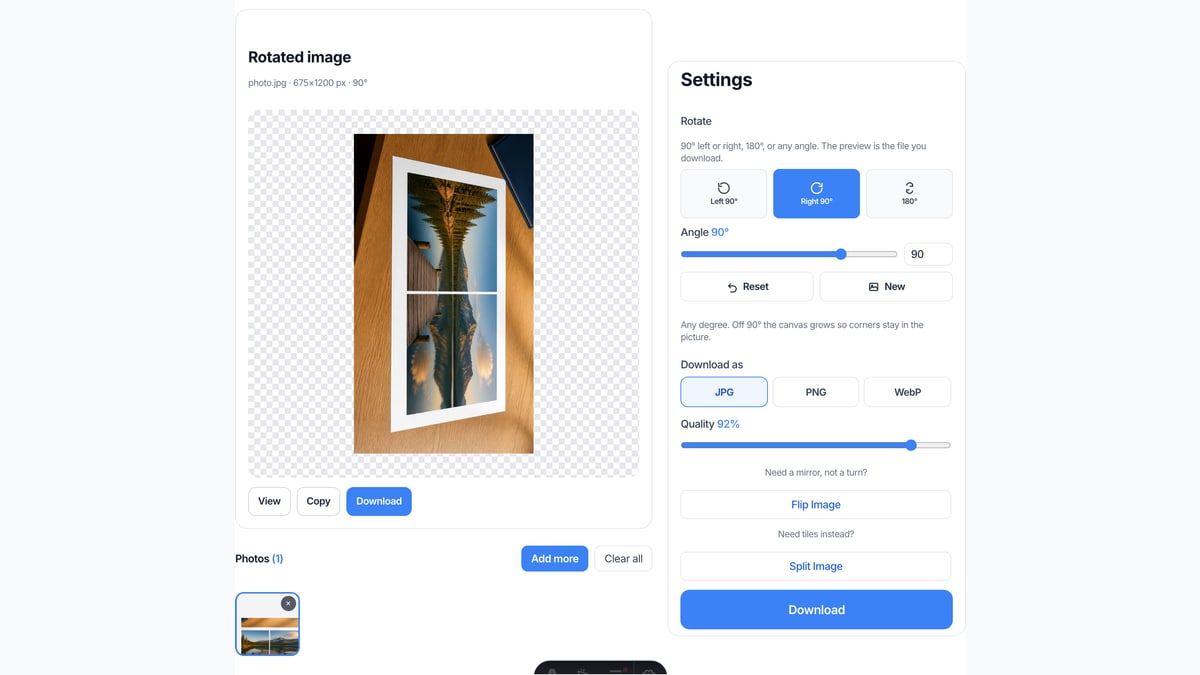
What you can do here
One photo is enough for a rotate image job. A small batch uses the same angle on every file.
90° and 180°
Left 90° is counterclockwise. Right 90° is clockwise. 180° turns the photo upside down. A sideways scan usually needs one of these.
Any angle
The slider and the degree field turn the photo by 1°, 5°, 15°, 45°, or whatever you type. Off 90° the canvas enlarges so the picture is not cropped.
Live preview
The picture on the page is the file you download. Move the slider or tap a preset and the preview updates. Reset brings the original back.
Stays on this device
JPG, PNG, WebP, GIF, BMP, or AVIF. Each file under 40 MB, up to 30 photos. HEIC, TIFF, and PDF are declined.
How to rotate an image in 3 steps
Works on a phone or a computer. No account.
Add a photo
Drop a JPG, PNG, or WebP on the dashed box, or pick a file. One photo is enough. You can add more if you want the same rotation on a batch.
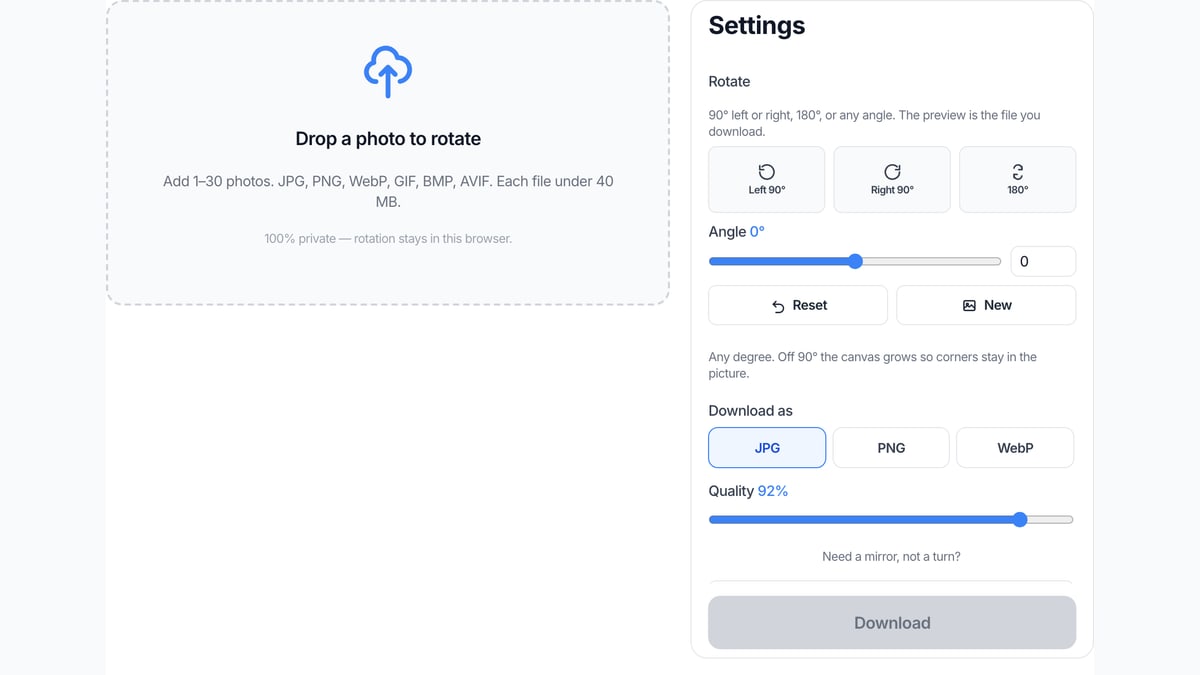
Pick 90° or any angle
In Settings, tap Left 90°, Right 90°, or 180°. Or drag the angle slider. The preview is already the result.
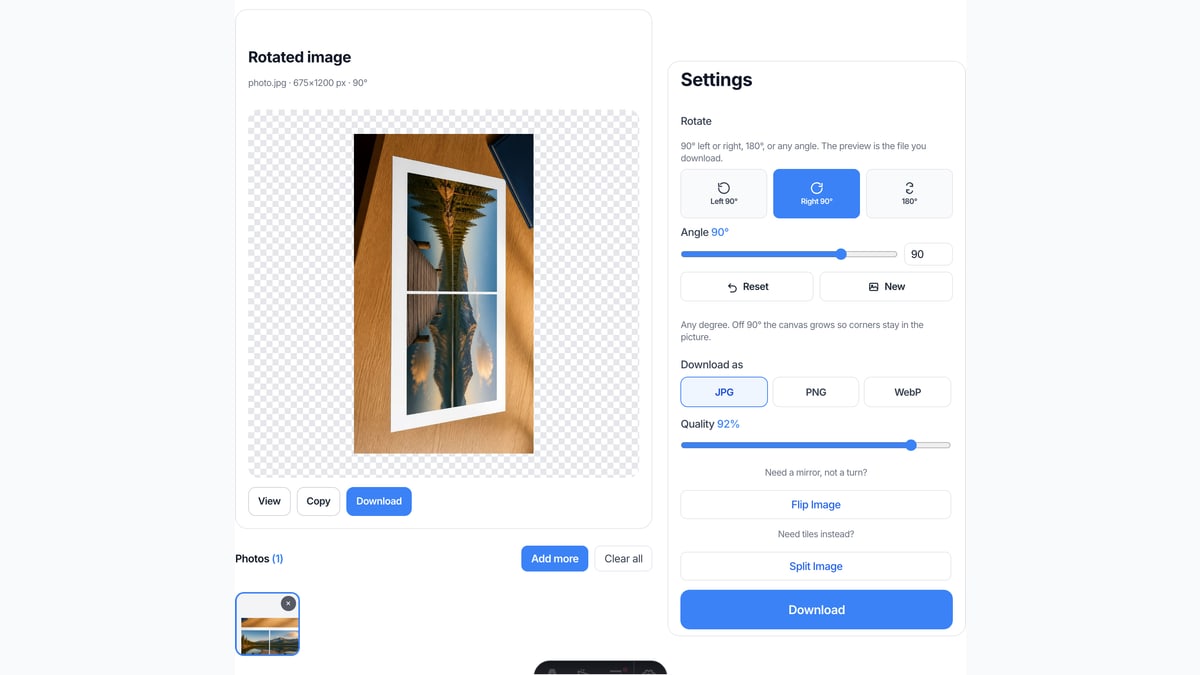
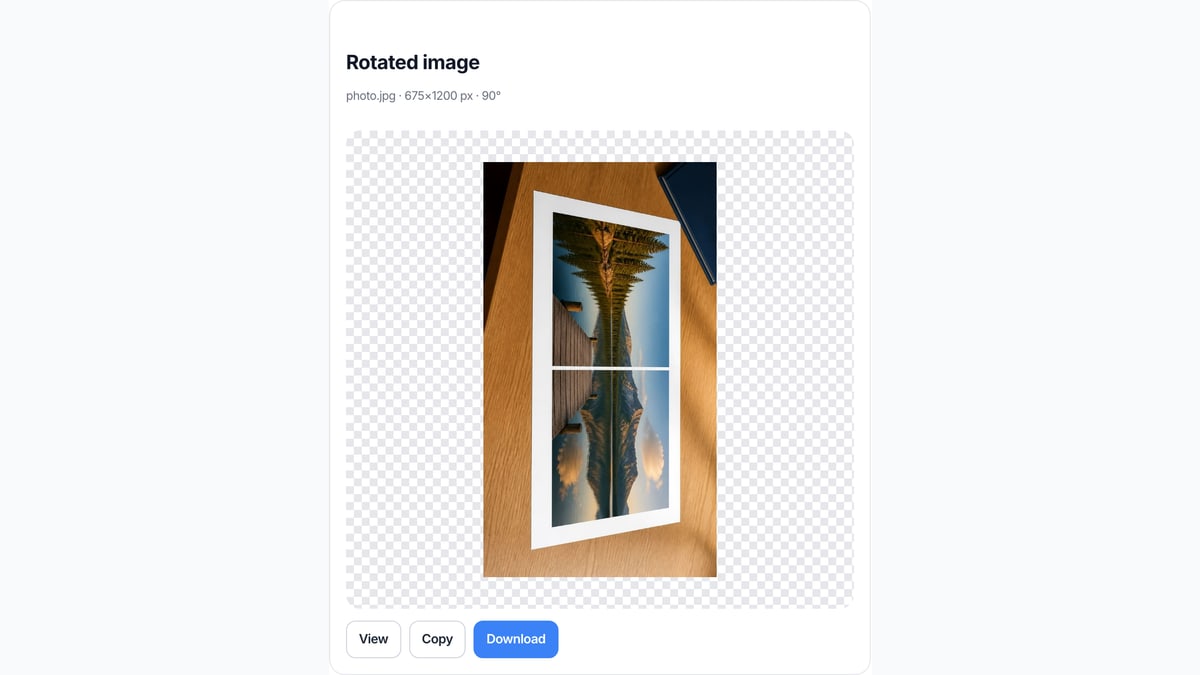
Download the rotated file
View it here, copy it, or download JPG, PNG, or WebP. Two or more photos download as a ZIP with the same angle on each file.
Why rotate here
This page only turns pixels by degrees. That is the job in the search box. Neighbor tools stay one click away when the job is a mirror or a split.
No upload
The file never goes to our server. Closing the tab clears it from this page.
The preview is the download
You do not press Rotate, then wait, then guess which file came back. What you see is what you save.
Honest about other apps
We do not walk you through Canva, Photoshop, Word, or the Photos app. If you need those menus, use those apps. If you need a rotated JPG now, use this box.
Free angle without a crop by default
A 45° turn grows the canvas so no corner is cut off. JPG fills the new space with white. PNG and WebP stay transparent there.
Limits and tips
- A sideways photo needs 90° left or right, not a mirror. Mirrors live on Flip Image.
- A few degrees on the slider is enough to straighten a crooked horizon. The canvas grows; this page does not crop.
- Each file must stay under 40 MB. A side longer than 8000 px is scaled down before the rotate.
- HEIC from iPhone, TIFF, and PDF are rejected. Save a JPG or PNG first. This page does not rotate pages inside a PDF.
- Need tiles for Instagram? Use Split Image on the homepage. Need a left-right mirror? Use Flip Image.
- JPG quality lives on the Settings slider. PNG is lossless. WebP is a smaller still with optional transparency. Pick the format before you download, because the preview is already that file.
Jobs that finish on this page
These are rotate jobs. Software-menu searches stay off this list on purpose.
Fix a sideways phone photo
The camera saved the file on its side. One 90° tap puts it upright.
Input: One sideways JPG
Setting: Left 90° or Right 90°
Output: One upright JPG
Caveat: This does not rewrite EXIF in another app. It writes a new file from the pixels you see.
Straighten a slightly tilted shot
A landscape that leans a few degrees. The slider turns it without a crop.
Input: One landscape PNG
Setting: A small angle on the slider
Output: One larger PNG with transparent corners, or a JPG with white corners
Caveat: Horizon detect and AI straighten are not on this page.
Same turn on a small batch
A folder of scans that all need 90°. Add up to 30, keep the same angle, download the ZIP.
Input: Several JPG files
Setting: Same 90° or custom angle on all
Output: A ZIP of rotated files
Caveat: This is not a print shop or a PDF page rotator.
Rotate here, or use a neighbor tool?
Use this page
Turn a photo by degrees
Use this URL when the photo is sideways, upside down, or needs a few degrees of straighten. Download JPG, PNG, or WebP. The preview is the file.
Use a related tool
A mirror, tiles, or a join
Need a left-right or top-bottom mirror? Use Flip Image . Need Instagram tiles? Use Split Image . Need two photos in one frame? Use Merge Images . None of those pages rotate by a custom angle.
Rotate image FAQ
What does rotate image do on this page? +
It turns a photo in your browser. Left 90° and Right 90° are one-quarter turns. 180° is upside down. The slider sets any degree. You download the JPG, PNG, or WebP. Nothing is uploaded, and this page does not mirror left-right.
Is this an image rotator I can use online for free? +
Yes. This page is a free online image rotator. You do not create an account. The same page also answers rotate image online and image rotator online. There is no paid unlock for the rotate itself.
How do I rotate an image 90 degrees clockwise? +
Add the photo. Click Right 90° in Settings. The preview shows the clockwise turn. Download that file. You do not need Photoshop, Canva, or a CSS class for this.
Can I rotate an image to any angle? +
Yes. Drag the angle slider or type a number. 1°, 15°, 45°, and the rest are on this URL. Off 90° the canvas grows so the picture is not cropped. Custom angles were left off Flip Image on purpose.
How do I rotate a photo or rotate a picture here? +
Photo and picture are the same job as rotate image on this URL. Add the JPG or PNG, pick 90° or any degree, and download. There is no separate rotate photo page.
Can I rotate more than one image at once? +
Yes. Add up to 30 photos. The same angle applies to each file. Download one, or download all as a ZIP. That covers a small batch image rotator job. It is not a desktop folder watcher.
Does this replace how to rotate an image in Canva or Photoshop? +
No. Those searches want the rotate handle or Transform menu inside Canva, Photoshop, Word, Lightroom, or the Photos app. This page does not open those apps. It rotates a file you already have and gives you a new image back.
Is rotate the same as flip or mirror? +
No. Rotate turns the photo around a point. Flip Image mirrors left-right or top-bottom. Use this URL to turn degrees. Use Flip Image when you want a mirror.
Will a 45 degree rotate crop the photo? +
No. This page enlarges the canvas so every corner stays in the file. JPG fills the new triangles with white. PNG and WebP leave them transparent. A later crop page can cut those corners if you want.
Can I rotate an image in a PDF? +
No. A PDF dropped here is declined. This site’s PDF tools are for printing tiles, not for turning pages inside a document. Save the page as a JPG first if you only need that picture rotated.
Does this work on iPhone or Android in the browser? +
Yes, in the browser tab. It is not the Photos app rotate button and not an App Store install. HEIC from the camera roll still needs a JPG first, because most browsers cannot decode HEIC in the file picker.
Will I lose quality when I rotate? +
90° and 180° keep the original pixel box. A free angle grows the canvas; it does not upscale. JPG quality is the slider in Settings. PNG is lossless. A side longer than 8000 px is scaled down so the tab stays alive.
Is this the leetcode rotate image problem? +
No. That search is a matrix interview question. This page turns a photo you already have. It does not grade code or rotate an array in place.
What formats can I rotate? +
JPG, PNG, WebP, GIF, BMP, and AVIF. Each file must stay under 40 MB. HEIC, TIFF, SVG, and PDF are rejected. Convert those to JPG or PNG first, then add the converted file to this box.
Do I need to log in? +
No. Add a photo, turn it, and download it. There is no account wall and no watermark on the rotated file. Closing the tab clears the photos from this page.
Is this private? +
The rotate runs in this browser tab. We do not upload the photo to finish the job. Close the tab and the files on this page are gone. That is the same privacy story as the rest of this site.
How do I rotate an image on a computer or Mac? +
Open this page in Chrome, Safari, Edge, or Firefox. Drop a JPG or PNG. Tap Right 90° or drag the slider. Download the turned file. You do not need Preview, Photos, or a desktop installer for a simple rotate.
Can I straighten a slightly tilted photo? +
Yes. Use the angle slider for a few degrees. The canvas grows so the corners stay in the picture. This page does not auto-detect a horizon or run AI straighten.
Can I rotate a GIF, video, or 360 photo? +
A still GIF frame can be added if the browser decodes it as an image. This page does not rotate video, animate GIF frames, or spin a 3D or 360 file. Use a video editor for those jobs.
Does this rotate with CSS or HTML? +
No. A CSS rotate class only turns a picture on a webpage. This tool writes new pixels into a downloadable file. If you need a CSS snippet, that is a different job.
