Censor Image
Drag a box over a face, a plate, or an address. Blur that spot, pixelate it, or cover it with a black bar, then download the censor image.
Drop a photo to censor a spot
Add 1–30 photos. JPG, PNG, WebP, GIF, BMP, or AVIF. You can also paste.
The photo stays in this browser. Nothing is uploaded.
Cover
How to cover the box
Draw one or more rectangles on the preview. Every box uses the cover you pick here.
Download as
Rectangles only. This page does not detect faces, draw an ellipse or a brush, or remove a censor that is already in the photo.
In the browser
The photo is decoded on this device. The censor image never leaves the browser, and the server never receives the file.
Boxes, not the whole frame
Only the rectangles you draw are replaced. The rest of the censor photo stays as it was.
A real file
Download is a flattened JPG, PNG, or WebP. In that censor image, the covered pixels are gone.
Also try Split Image · Flip Image · Rotate Image · Invert Colors · Blur Image · Pixelate Image · Merge Images · Compress · AI Image Upscaler
What this censor image tool does
A censor image tool hides part of a picture before you post it. You choose the spot: a face in a crowd, a license plate, a username, a house number, or a line on a document. This page replaces the pixels inside each rectangle you draw. The rest of the photo is left alone. People also search this job as a censor photo tool. It is the same task: cover a region, then save a new file.
A censor image offers three covers on the panel. Blur averages nearby colors so the spot goes soft. Pixelate paints the spot as large blocks. A black bar fills the rectangle with solid black. All of the boxes on one censor photo share the cover you have selected. Switch the cover and the boxes you already drew update. Strength changes the blur radius or the pixel block size. A black bar does not use strength.
The censor photo download is flattened. Blur, blocks, or black are baked into the pixels. There is no separate layer to turn off in another app. The new JPG, PNG, or WebP is built in the browser from those pixels, so the original camera note, location, and other EXIF fields are not copied into the censor image you save. Still GIF files open as one frame. This page does not detect faces for you, and it does not try to recover a spot that was already hidden.
What you can do on this page
The path on this censor image is short: add a photo, draw the spots, pick a cover, download the file.
More than one rectangle
Drag as many boxes as the censor photo needs. Undo removes only the last one. Clear boxes starts the drawing over without replacing the photo.
Blur, pixelate, or a black bar
Blur is a soft cover on a censor image. Pixelate is a mosaic. A black bar is solid and does not leave the colors of the spot behind. Pick the one that matches how hidden the spot must be.
Paste, drop, or choose a file
Drop a censor photo on the card, use the file picker, or paste an image you copied. JPG, PNG, WebP, GIF, BMP, and AVIF open here. HEIC, TIFF, and PDF do not.
Look at the original, then save the cover
Original peeks at the censor image you added. View opens the flattened result on this page. Download and Copy use that flattened file, not the peek.
How to censor part of a picture
You blur part of an image in the card at the top of the page. No account, and the censor photo does not leave the browser.
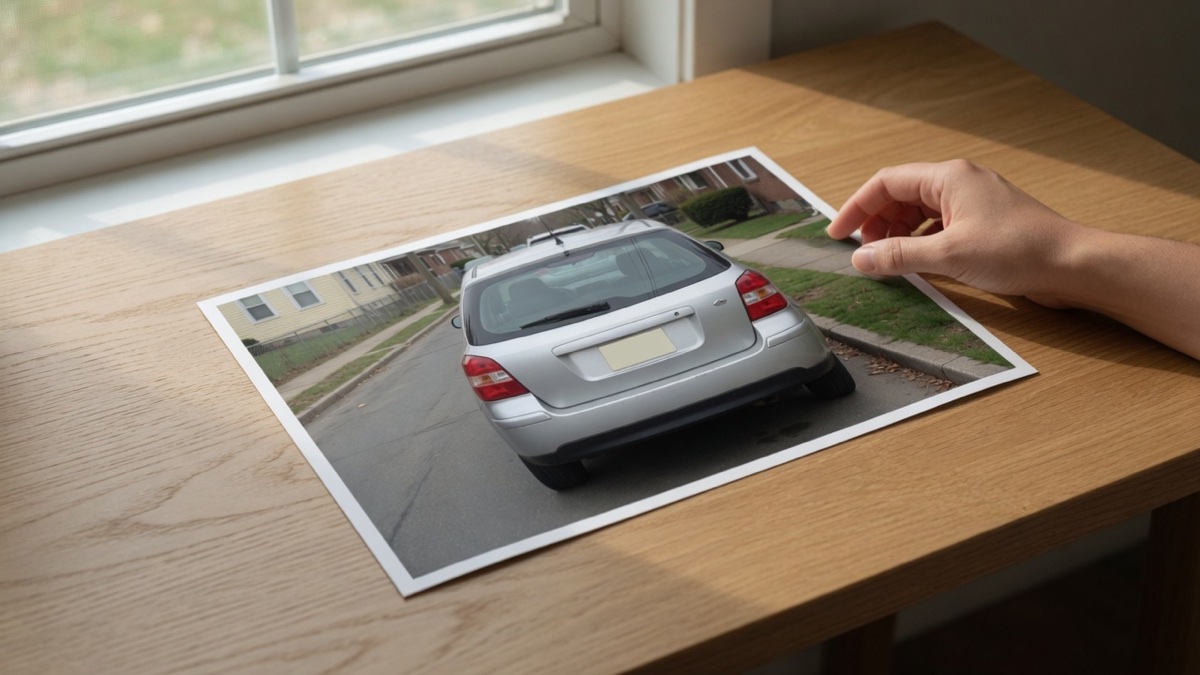
Add the photo
Drop it, choose it, or paste it onto the censor image. The preview shows the file name and the pixel size so you can confirm it is the right picture before you cover anything.
Draw a box and pick a cover
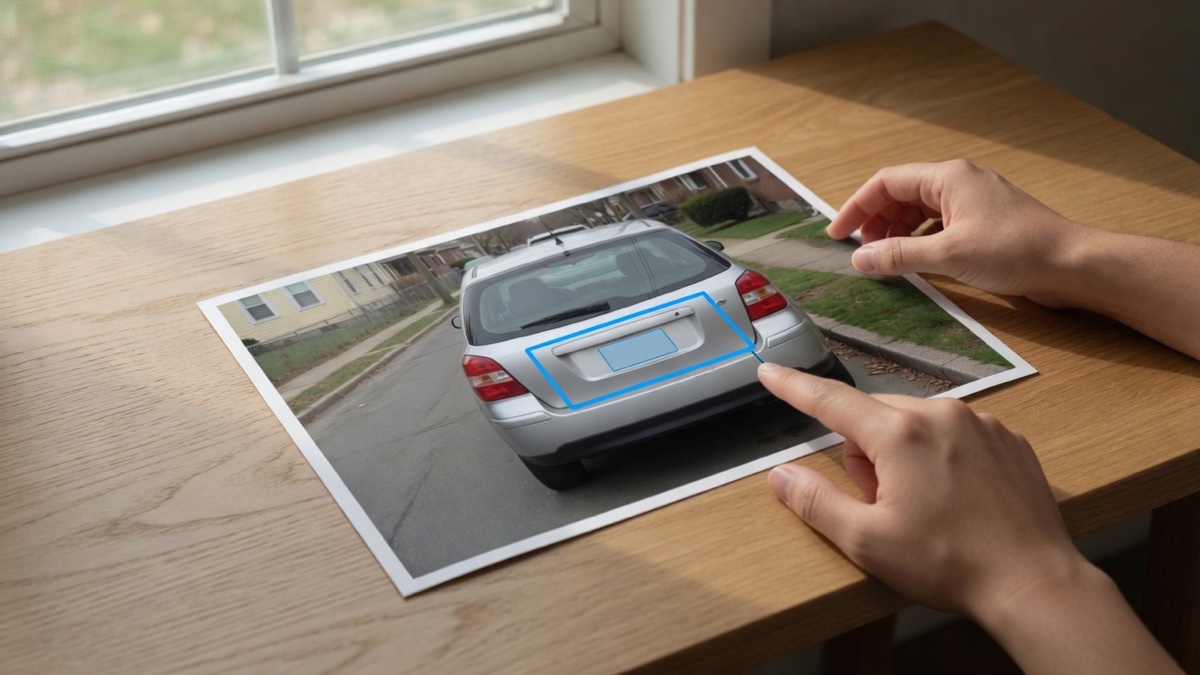
Drag a rectangle on the censor photo around the face, plate, or line of text. Add another box if a second spot needs the same cover. Choose blur, pixelate, or a black bar. Raise strength if a blur or mosaic still shows too much.
Download the flattened file
Download saves the censor image as JPG, PNG, or WebP with the boxes already replaced. Use that file when you post. The original photo on your device is not changed.
Why the cover has to be in the file
A sticker on top of a censor photo is not the same as replacing the pixels.
The hidden spot is not a layer
Some editors keep a blur as an object you can delete later. This censor image download is a normal picture. Opening it in another app shows the cover, not the original pixels under it.
The rest of the photo stays sharp
Only the rectangles on the censor photo change. A street, a room, or a document can stay readable while one detail is covered. That is a different job from blurring the entire frame.
You can check the file name
The result card names the censor image and its size. View opens it here. You do not have to leave the page to see whether the box landed on the right spot.
Several photos can share the same boxes
Add more than one censor photo if you are covering the same corner on a series. Each download uses the rectangles currently drawn. Clear the boxes before a photo that needs a different spot.
Before you post the file
- If a face or a plate on the censor image must stay hidden, use the black bar. A light blur still contains the shape, and a determined person can sometimes reverse a weak blur.
- Make the rectangle a little larger than the detail. A box that clips a chin, a plate edge, or the last digits of an address leaves that part of the censor photo visible.
- Peek at the censor photo with Original before you download. If the box missed, undo it and draw again. Download stays disabled until at least one box exists, so you do not save an unchanged copy by mistake.
- The new censor image does not carry the original location metadata. That is useful, and it is not a promise about every copy of the photo that already exists on a phone or a camera roll.
- A black bar on a censor photo is not permission to publish it. If you do not have the right to share the picture, covering a spot does not create that right.
Jobs this page is for
Each card is one real spot on a censor image. The setting is the cover that fits that spot.
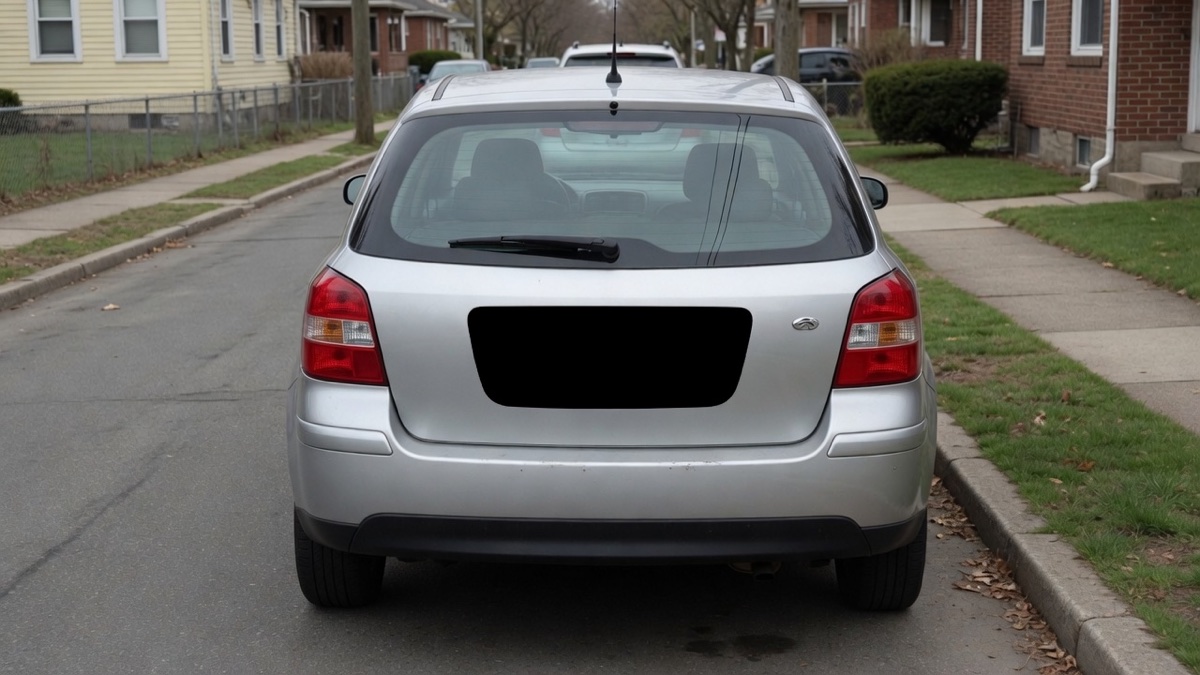
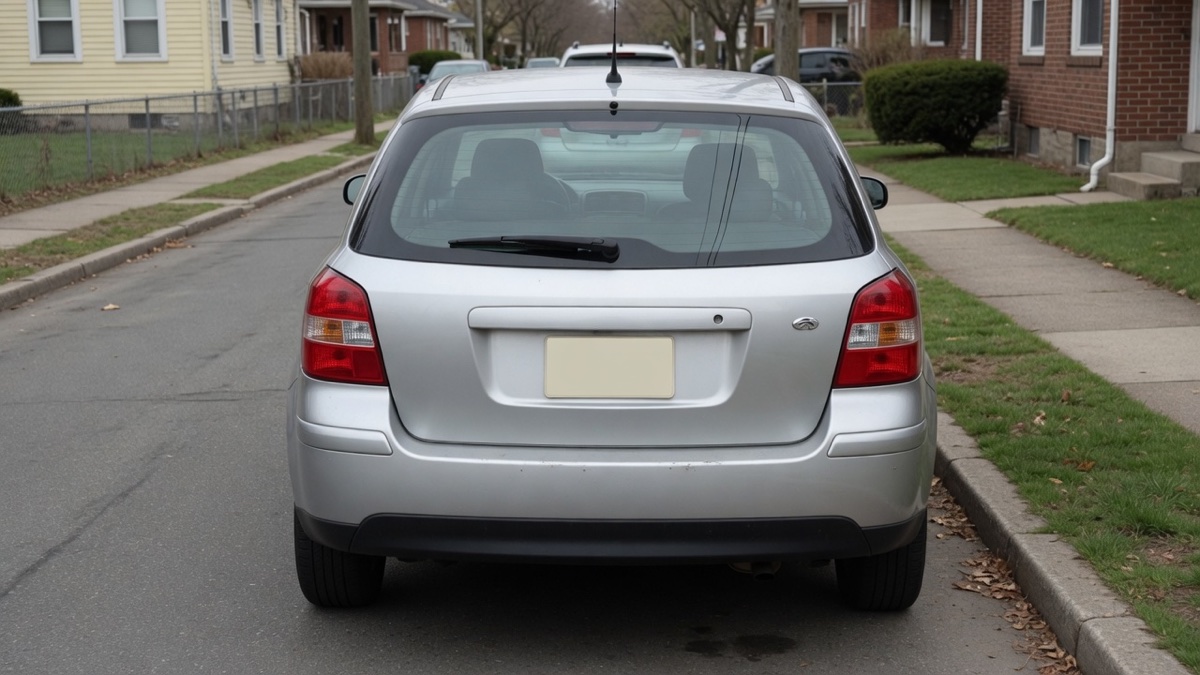
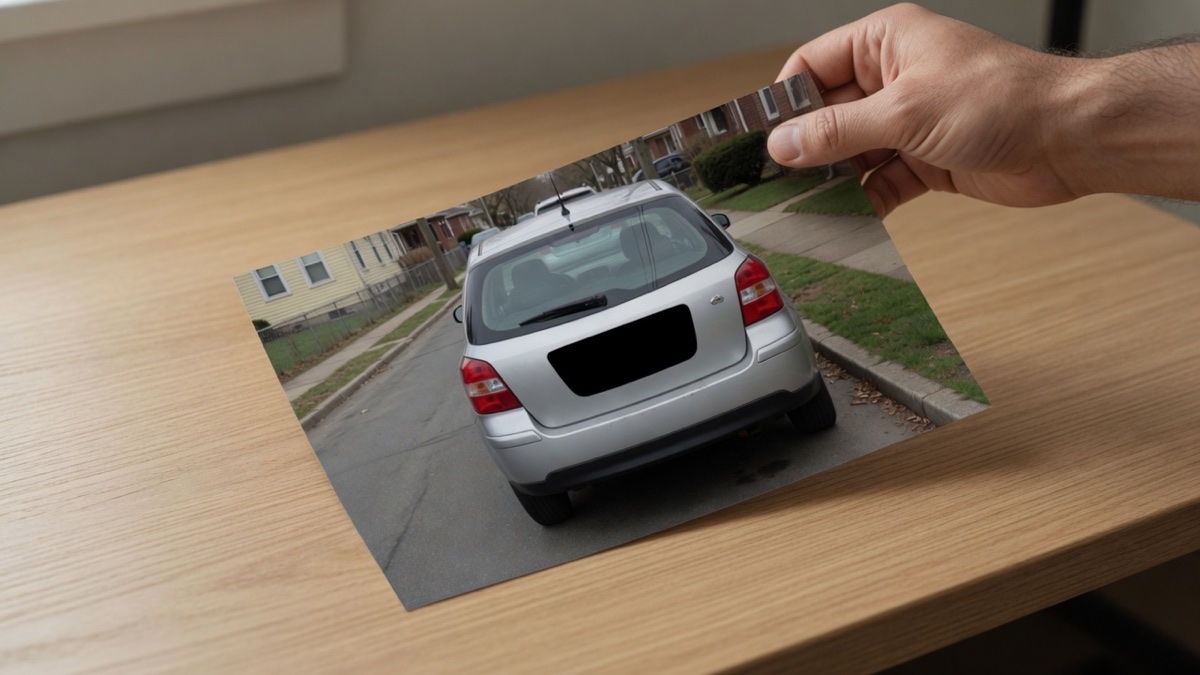
A plate in a street photo
The car and the street can stay in the censor photo. The plate should not be readable in the file you post.
Photo: A photo of a parked car, taken from behind.
Cover: One rectangle on the plate, black bar.
File: A JPG or PNG with that rectangle solid black.
Watch out: Include the frame of the plate. A tight box can leave a character at the edge.
A face you do not have permission to show
A crowd, a classroom, or a background person can be covered in the censor image without blurring the whole scene.
Photo: A group photo, or a frame where one person is incidental.
Cover: A rectangle on each face that should disappear. Blur at a high strength, or a black bar if the face must not be recoverable.
File: One flattened photo. Other faces you did not box stay as they were.
Watch out: This page does not find faces. You place every box yourself.
An address or a username
A screenshot, a letter, or a profile card often has one line that a censor photo should not carry.
Photo: A screenshot or a photo of a document.
Cover: Pixelate or a black bar on the line. Pixelate at a large block size if you want the line to look covered and still sit in the layout.
File: A PNG or WebP you can attach somewhere else.
Watch out: Draw over the whole line, including ascenders. This page does not redact text it finds on its own.
A censor image is a spot, not a filter
This page
Cover the part you choose
You draw the rectangles. Blur, mosaic blocks, or a black bar replace the pixels inside them. The censor photo download is one flattened picture, so the hidden spot in the censor image is not a layer someone can switch off.
A different job
When the whole photo should change
To soften every pixel, use Blur Image . To mosaic the whole frame, use Pixelate Image . To mirror a photo, use Flip Image . To turn it, use Rotate Image . To swap light and dark, use Invert Colors . To cut one photo into pieces, use Split Image .
Questions about censoring a photo
How do I censor part of a picture? +
Add the photo at the top of this censor image, then drag a rectangle over the part that should disappear. Choose blur, pixelate, or a black bar. Add another rectangle if a second spot needs the same cover. Download the flattened JPG, PNG, or WebP. The original file on your device stays untouched.
How do I censor a picture on iPhone? +
Use this censor image in Safari. Tap the card and choose the photo from your camera roll, or paste an image you copied. Drag the box with your finger, pick a cover, and download the censor photo. The saved file is in Files or the share sheet, depending on iOS. This is not an App Store app, and you do not sign in.
Is this free to use? +
Yes. This censor image runs in the browser with no account and no charge. You can cover spots on more than one censor photo in the same visit. Download is part of the same page. There is no watermark added by this tool.
Does this page upload my photo? +
No. The censor photo is read on your device and drawn on a canvas in the page. Choosing a cover, undoing a box, and building the censor image all happen locally. Closing the tab drops the preview. We do not keep a copy of the photo.
Which files can I drop in? +
JPG, PNG, WebP, GIF, BMP, and AVIF open in this censor image. A still GIF is saved as one frame, not as an animation. HEIC, TIFF, and PDF are refused, with a pointer when another page on this site can take that format. You can also paste a censor photo from the clipboard.
Should I blur, pixelate, or use a black bar? +
On a censor photo, use blur when a soft spot is enough and you raise the strength until the detail is gone. Use pixelate on the censor image when you want obvious mosaic blocks. Use a black bar when the spot must not be recoverable. A light blur can sometimes be reversed by someone else. The black bar replaces the rectangle with solid black.
Can someone undo a blur and see the spot again? +
A weak blur or a very fine mosaic on a censor image can sometimes be estimated by another person. This page cannot promise that every blur is irreversible. If the face, plate, or number on the censor photo must stay hidden, draw a box that fully covers it and use the black bar. Undo on this page only removes a rectangle before you download.
Will this find faces for me? +
No. This censor photo does not find faces, and it does not find plates. You drag each rectangle on the censor image. That keeps the photo on your device and avoids covering a spot you meant to keep. If a second face needs covering, draw a second box.
Is covering a photo the same as having permission to publish it? +
No. A censor image only replaces pixels inside the boxes you draw. It is not legal advice, and it does not decide copyright, privacy law, or whether a particular post is allowed. If you do not have the right to share the censor photo, a black bar does not create that right. Keep a copy of the original if you still need the uncovered photo.
How is this different from Blur Image and Pixelate Image? +
Blur Image softens the whole frame. Pixelate Image is built to mosaic a photo, including a whole-frame mosaic. This censor image only changes the rectangles you draw, and it adds a solid black bar, which those pages do not treat as the job. Use them when every pixel should change. Use this censor photo when one spot should disappear and the rest should stay sharp.
What is a censor photo tool? +
It is the same job as this page. You hide part of one photograph, then save a new file. The words censor photo and censor image both mean covering a region, not deleting the picture and not removing a watermark. Draw the box, pick blur, pixelate, or a black bar, and download.
Can I cover more than one spot and then post the file? +
Yes. Draw a rectangle for each spot on the censor image, then download one flattened file. Upload that censor photo yourself to Telegram, Discord, X, Reddit, or anywhere else. This page does not post for you, and it does not connect to those apps. The picture you upload should be the download, not the original photo.
Censor a spot on this photo
Draw the box on the censor photo, pick blur, pixelate, or a black bar, and download the flattened censor image. It stays in this browser.
Censor this photo