Pixelate Image Online Free
Pixelate image online in the tab. Mosaic a whole photo, or pixelate part of an image — draw a box to censor a face or plate. The preview is the file you download. Nothing is uploaded.
Drop a photo to pixelate
Add 1–30 photos. JPG, PNG, WebP, GIF, BMP, AVIF.
100% private — the mosaic stays in this browser.
Settings
Pixelate image
Where to pixelate
Download as
Advanced
Leave this closed for a light mosaic. Open it to jump to Soft, Medium, or Heavy. Block size still lives on the slider above.
Pixelate preset
100% local
The image pixelator runs in this browser. The photo never leaves the tab.
No upload
Nothing is sent to a server to finish the mosaic or the box censor.
Free, no account
No signup, no watermark. Download JPG, PNG, or WebP.
Also on this site: Split Image · Flip Image · Rotate Image · Invert Image Colors · Blur Image · Merge Images · Image Compressor · AI Image Upscaler
What is pixelate image?
This page is a browser pixelate image tool — an image pixelator for a file you already have. You add a photo and nearby pixels collapse into square mosaic blocks. People type pixelate image, pixelate image online, image pixelator, pixelate photo, pixelizer, pixelate an image, or censor image. The job is the same: a pixelate effect you can download as JPG, PNG, or WebP.
It is not a blur. Blur Image softens edges and can still leave a face guessable. Pixelate replaces a patch with flat color squares, which is why people use it to censor a face, a plate, or a line of text. You can also pixelate part of an image: switch to Box, draw a pixelate image selection over one pixelate image area, and the rest stays sharp. It is not invert image colors. Invert keeps edges and only swaps hue. It is not an AI face finder and not pixelate image with AI. You draw the box. It is not a Canva, Photoshop, Illustrator, or Procreate lesson. Those searches want a menu in another app.
The file never goes to our server. JPG, PNG, WebP, GIF, BMP, and AVIF are welcome. HEIC, TIFF, and PDF are declined on purpose. One photo is enough. A small batch uses the same mosaic on every file. Unpixelate, depixelate, AI restore, and video stay off this URL.
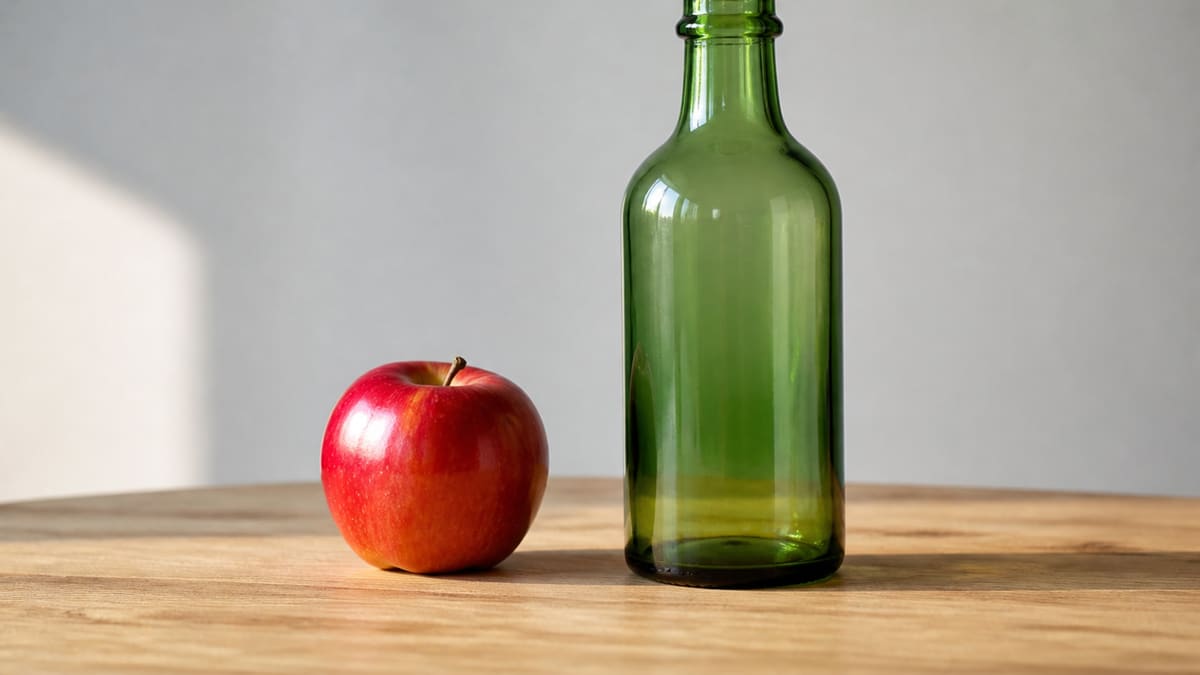
What you can do here
One photo is enough for a pixelate image job, a pixelate photo, or a censor image box. The same image pixelator also covers pixelate image online and how to pixelate an image. A small batch uses the same mosaic on every file.
Pixelate the whole photo
Whole mode mosaics every pixel. Soft is the default light look. Medium is a stronger image pixelator. Heavy is the censor-grade hide. Pixelate is already on when the photo opens.
Draw a box to censor part of the photo
This is how to pixelate part of an image. Draw a pixelate image selection over a face, a plate, or a line of text — that pixelate image area gets the mosaic, the rest stays sharp. You can add more than one box. Undo last box or clear boxes if you miss. This is not a pixelate image brush and not an auto face crop.
Live preview
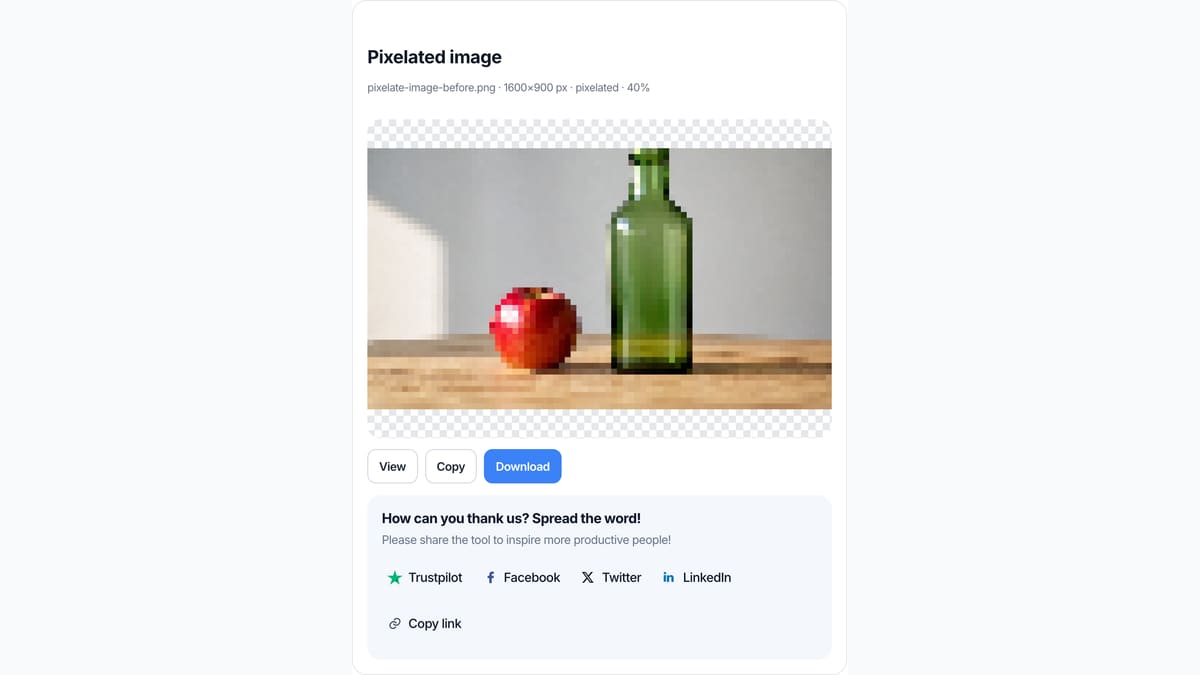
You do not press Pixelate and wait for an upload. What you see in the box is what you save as JPG, PNG, or WebP. Identity under the preview shows the filename, pixel size, and whole or boxed state.
Stays on this device
JPG, PNG, WebP, GIF, BMP, or AVIF. Each file under 40 MB, up to 30 photos. HEIC, TIFF, and PDF are declined. A side longer than 8000 px is scaled down before the mosaic so the tab stays usable.
How to pixelate an image in 3 steps
Works on a phone or a computer. No account. Same path for how to pixelate an image online, pixelate photo, censor image, and how to pixelate part of an image.
Add a photo
Drop a JPG, PNG, or WebP on the dashed box, or pick a file. One photo is enough. You can add more if you want the same mosaic on a batch.
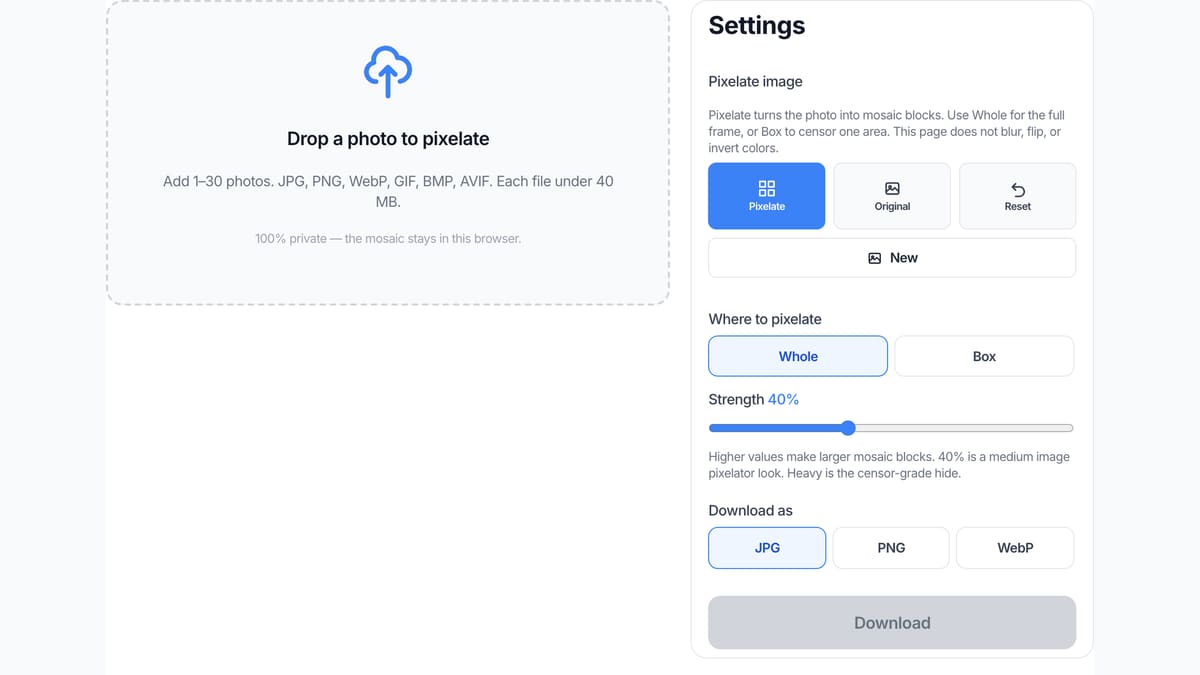
Set Whole or Box, then Block size
Pixelate is already on in Whole mode. Switch to Box if you only want to pixelate part of the image: draw a rectangle. That pixelate image area is the only place that gets blocks. Drag Block size until the blocks hide what they should.
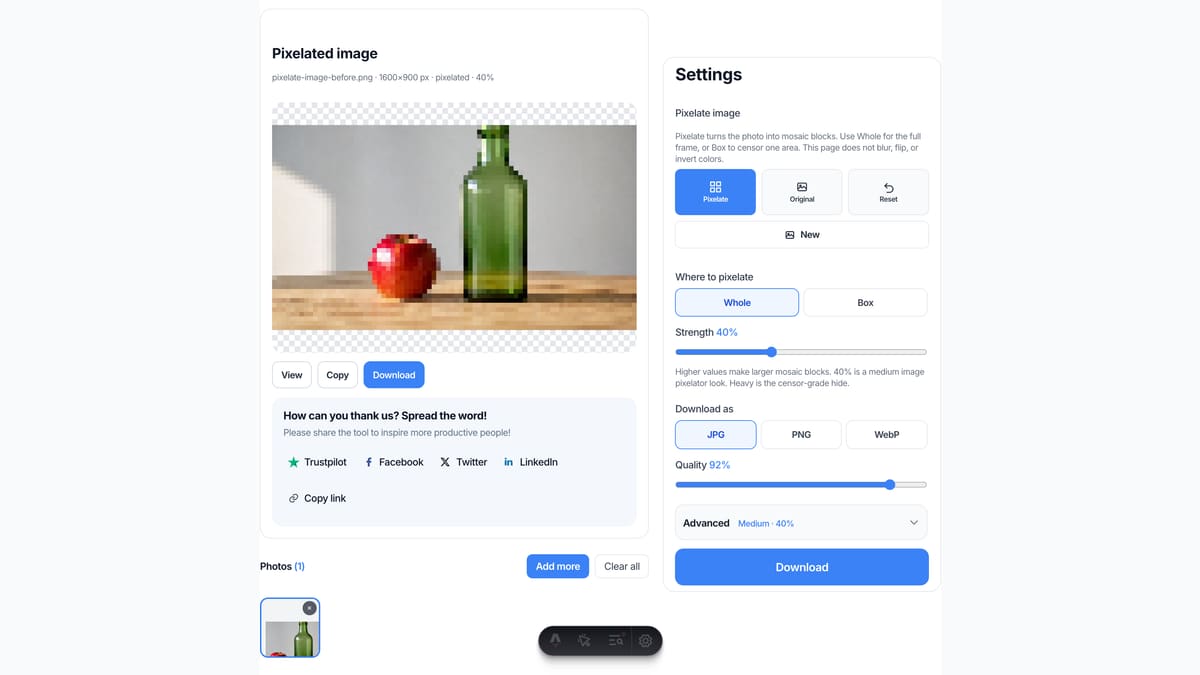
Download the pixelated file
View it here, copy it, or download JPG, PNG, or WebP. Two or more photos download as a ZIP with the same pixelate effect on each file.
Why pixelate here
This page only writes mosaic blocks onto a still. Pixelate image, pixelate photo, image pixelator, and censor image are the same job in the search box.
No upload
The file never goes to our server to finish the pixelate image job. Closing the tab clears it from this page. That is the same privacy rule as Blur Image and the rest of this site.
The preview is the download
You do not press Pixelate, then wait, then guess which file came back. What you see in the preview is what you save. Identity shows the filename, pixels, and whole or boxed state.
Honest about other apps
We do not walk you through Canva, Photoshop, Illustrator, or Procreate. If you need those menus, use those apps. If you need a pixelated JPG now, use this box.
Not a blur and not an AI detector
A soft gaussian blur is Blur Image. This image pixelator writes square blocks. Face-only auto boxes are not here. You draw the censor region yourself.
Limits and tips
- Whole mode mosaics the entire photo. Box mode only mosaics the pixelate image selection you draw — a pixelate image part, not the whole frame.
- A light mosaic can still be guessed at full zoom. Raise Block size or Heavy, then check View before you share a face or a plate.
- A soft hide without blocks is Blur Image. A left-right mirror is Flip Image. A 90° turn is Rotate Image.
- Each file must stay under 40 MB. A side longer than 8000 px is scaled down before the mosaic.
- HEIC from iPhone, TIFF, and PDF are rejected. Save a JPG or PNG first.
- PNG keeps transparency outside the mosaic. JPG fills empty pixels with white because JPEG has no alpha.
- This is not unpixelate, depixelate, or an AI restorer. A mosaic photo will not become clear here.
- You own the photo you add. This page is not legal advice and does not grant a copyright license.
Jobs that finish on this page
These are pixelate image jobs. Software-menu searches stay off this list on purpose.
Censor a face or a plate
A screenshot or a street photo with a face, a badge, or a license plate you do not want readable. Switch to Box, draw the rectangle, use Heavy, then View at full size.
Input: One JPG or PNG photo
Setting: Box mode, Heavy or Block size 40+
Output: One pixelated JPG or PNG
Caveat: This is not a legal redaction stamp. Check the download at full zoom.
Retro mosaic on a whole photo
A portrait or a product shot that should look like pixel art. Stay on Whole, use Soft or Medium so the subject is still readable as blocks.
Input: One JPG photo
Setting: Whole mode, Block size around 16–24
Output: One mosaic JPG
Caveat: This is not an 8-bit sprite exporter and not a game asset packer.
Same mosaic on a small batch
A folder of screenshots that all need the same censor strength. Add up to 30, keep Whole or the same boxes on the active file, download the ZIP.
Input: Several PNG files
Setting: Same Block size on all
Output: A ZIP of pixelated files
Caveat: Boxes apply to the selected photo. This is not a 100-file factory.
Pixelate here, or use a neighbor tool?
Use this page
Pixelate a photo or censor a box
Use this URL when you need to pixelate image, pixelate image online, use an image pixelator, or censor image with mosaic blocks. The preview is the file. Blur, flip, rotate, and invert live on other URLs.
Use a related tool
Soften, mirror, turn, invert, or cut tiles
Need a soft gaussian blur instead of blocks? Use Blur Image . Need a left-right mirror? Use Flip Image . Need a turn by degrees? Use Rotate Image . Need a color negative? Use Invert Image Colors . Need Instagram tiles? Use Split Image . None of those pages pixelate a photo.
Pixelate image FAQ
What is pixelate image? +
Pixelate image meaning is a mosaic still of a photo you already have. This URL is an image pixelator: add a picture and nearby pixels collapse into square blocks. You can pixelate the whole frame or pixelate part of an image with a box. It is not blur, not unpixelate, and not a camera filter that only previews a look.
How do I pixelate an image? +
Add a JPG, PNG, or WebP. Pixelate is already on in Whole mode, so the preview shows the mosaic. Drag Block size if you want larger or smaller blocks, then download that file. You do not need Photoshop, Canva, or a desktop installer for this pixelate image job.
How do I pixelate part of an image, a face, or a license plate? +
That is how to pixelate part of an image — the same job as pixelate image area, pixelate image part, or pixelate image selection. Switch Where to pixelate to Box. Draw a rectangle on the preview over the face, plate, or text. You can add more than one box. Use Heavy if the feature is still readable at full size. This page does not auto-detect faces.
Is this pixelate image online free? +
Yes. This page is a free pixelate image online tool and a free image pixelator. You do not create an account. There is no paid unlock for the mosaic itself, and the file stays in this tab. Pixelate image free and pixelate photo online all land on this same box.
Can I pixelate image on iPhone or Android? +
Yes. Pixelate image on iPhone or Android in Safari or Chrome. Add a JPG or PNG, set Whole or Box — including how to pixelate part of an image on iPhone — then download. You do not install a pixelate image app or a Chrome extension. iPhone Photos does not write this mosaic file.
How do I pixelate an image on Windows or Mac? +
Pixelate image on Windows in Chrome or Edge, or pixelate image on Mac in Safari or Chrome. Drop a JPG or PNG. The preview is already the mosaic. Download the file. You do not need Photos, Preview, or a desktop image pixelator for a simple pixelate online job.
How do I pixelate an image in Canva, Photoshop, Illustrator, or Procreate? +
This page does not open those apps. Searches like pixelate image in Canva, pixelate image in Photoshop, pixelate image in Illustrator, or pixelate image in Procreate want a menu in that software. If you already have a JPG or PNG export, drop that file here to pixelate image online and download a new still. We will not pretend this URL is their tutorial.
Should I pixelate or blur? +
Pixelate writes square blocks and is the usual censor look for a face or a plate. Blur Image softens edges and can still leave a feature guessable. If you want a soft whole-frame wash with no mosaic, use Blur Image. If you want blocks, stay here.
What is an image pixelator? Is it the same as a pixelizer? +
Image pixelator, pixelizer, and pixelate tool are the same search for a page that can pixelate an image. This URL does that pixelate online. It is not a hardware gadget and not a game named Pixelator.
Can I censor image text or a screenshot? +
Yes. Add the PNG screenshot, switch to Box, draw over the text or the UI chrome you want hidden, raise Block size, then View at full size. A light mosaic can still be read. This is not a legal redaction stamp.
Do I need a pixelate image app or a Chrome extension? +
No. This pixelate image tool runs in the tab. There is no Android app, no iPhone app, and no Chrome extension to install. If you searched best pixelate image app, this page still only mosaics a file you already have.
What formats can I pixelate? +
JPG, PNG, WebP, GIF, BMP, and AVIF. Each file must stay under 40 MB. HEIC, TIFF, PDF, and SVG are rejected. Convert those to JPG or PNG first, then add the converted file to this image pixelator.
Can I download a PNG or keep transparency? +
Yes. A pixelate image PNG keeps sharp blocks and transparency. Add the PNG, leave Pixelate on, and pick PNG under Download as. JPG fills empty pixels with white because JPEG has no alpha channel. There is no PSD export.
Can I pixelate more than one image at once? +
Yes. Add up to 30 photos. The same Block size applies to each file in Whole mode. Download one, or download all as a ZIP. Boxes belong to the selected photo. It is not a desktop folder watcher or a 100-file factory.
Do I need to log in or upload? +
No. Add a photo, pixelate it, download it. There is no account wall and no watermark. The mosaic runs in this browser. We do not upload the photo to finish the pixelate image online job.
Will this unpixelate a photo or make a mosaic image clear? +
No. Searches like depixelate image, unpixelate, and restore pixelated photo want an AI guess. This page only adds mosaic blocks. A blocky photo will not become sharp here. We will not ship a fake restorer on this URL.
Does this auto-detect faces or license plates? +
No. This is pixelate image no AI. Some other tools run a face model. This page does not. You draw the box. That is slower on a crowd photo and more honest: nothing is guessed, and nothing is sent to a detector.
Can I pixelate a video or use a text prompt? +
No. Video mosaic and prompt searches are a different job. This image pixelator only accepts stills. There is no text prompt, no Gemini generate, and no video timeline.
How do I turn a photo into pixel art? +
For a pixelate image for pixel art look, stay on Whole and use a lower Block size so the subject stays readable as blocks. This page does not export a sprite sheet or an indexed palette. If you need a tiny 128-pixel-wide look, resize first, then pixelate here.
Does pixelate image reduce quality? +
The mosaic itself is supposed to hide detail. Pixelate image quality around those blocks stays cleaner if you pick PNG. JPG or WebP re-encode uses the quality slider. A light pixelate image slightly look is a low Block size. A side longer than 8000 px is scaled down before the pixelate.
Is pixelation safe for hiding a face or a plate? +
Large blocks destroy more of the original pixels than a light blur. Still check the download at full zoom. If the feature is readable, raise Block size or draw a larger box. This is not legal advice and not a court-grade redaction.
Is this legal, and who owns the photo? +
You keep the rights to the file you add. We do not store it and we do not give you a copyright license for someone else’s picture. This is not legal advice. If the photo is not yours to edit, do not use this pixelate tool on it.
Ready to pixelate image online
Add a photo above. Pixelate is already on. Draw a box if you only need to censor part of it.
Pixelate image