EXIF Viewer Online Free
EXIF viewer in this tab. Drop a JPG, PNG, or WebP. Read camera, lens, date taken, and GPS on this device. Key facts and all tags, no upload.
100% local
The EXIF viewer runs in this browser. The photo never leaves the tab.
No upload
Nothing is sent to a server to finish the read.
Key facts first
Camera, date, GPS, then every tag. Copy a value or the full report.
Also on this site: EXIF Remover · Image Size Checker · Split Image
What this EXIF viewer shows
EXIF data is the hidden record a camera writes into a still: which body and lens took it, the time, aperture, shutter, ISO, and sometimes a GPS fix. An EXIF viewer reads those tags and puts them in plain words. This page walks JPEG APP1, PNG eXIf, and WebP EXIF in the tab. The photo is not uploaded.
Key facts sit at the top — camera, lens, date taken, exposure, GPS. All tags is the long list underneath, including XMP-present and IPTC-present flags. Copy one value or the whole report. If a GPS fix is present, a map link opens OpenStreetMap with the coordinates only. The image file itself is not sent to the map.
This EXIF viewer does not write new tags, does not change the date, and does not move a pin. Editing is a different job. Stripping is the sister page on this site. HEIC, RAW, video, and PDF are out of scope — export a JPG for phone stills, or use a document tool for PDF.

What you can read
The same still you dropped is the still on the left. The right column is the EXIF data that came with it.
Camera and lens
Make, model, and lens name when the file has them. Phone stills usually name the iPhone or Pixel. DSLR files name the body.
Date taken and exposure
DateTimeOriginal, aperture, shutter, ISO, and focal length, written as a short line instead of raw rationals.
GPS without sending the photo
When a fix exists, the EXIF viewer shows decimal degrees and a link to OpenStreetMap. Only the numbers go to the map tab.
All tags and a copyable report
Every decoded tag sits in a list. Copy one value, or copy the full report as text for a note or a ticket.
How to view EXIF data
Three moves. The photo stays on this device.
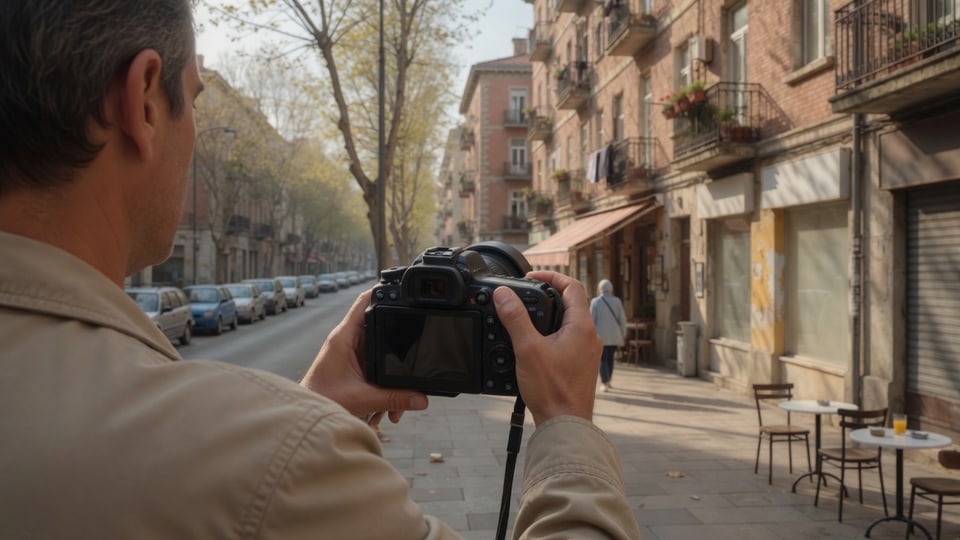
Add the photo
Drop a JPG, PNG, or WebP, browse for it, or paste it. Up to thirty files, each under forty megabytes. The EXIF viewer reads them in this tab.

Read key facts
Camera, date, GPS, and exposure show first. Open all tags when you need the long list. Copy a value or the report.

Strip if you need a clean file
The EXIF remover on this site takes the same photo from this tab and downloads a lossless copy without the tags.
Why read EXIF in the browser
You often want to know what a file will leak before you post it, without installing a desktop tag browser.
No upload
The EXIF viewer never sends the photo to a server. Close the tab and the bytes are gone from this page.
Plain words first
A GPS fix is a pair of numbers and a map link, not a wall of rational arrays. Camera and date sit at the top.
The long list is still there
All tags is for people who want every field. Copy report dumps the same facts as text.
Honest format list
HEIC, RAW, video, and PDF are declined with a reason. Export a JPG from the phone, then drop that JPG.
Reading tags without getting fooled
- Screenshots almost never carry EXIF data. An empty readout is expected, not a bug in the EXIF viewer.
- WhatsApp and some social saves strip tags on the way in. Check the original from the camera roll if you need GPS.
- EXIF can be edited by other software. Treat camera and GPS as claims the file makes, not as a courtroom proof.
- iPhone HEIC needs a JPG export before this page can read it. Photos → Share → Most Compatible is the usual path.
- A map link uses OpenStreetMap. The photo stays in this tab; only latitude and longitude are in the URL.
When people open an EXIF viewer
Same job: see what a still already contains before you share it or before you strip it.
Check a listing photo
Before a marketplace post, confirm whether the driveway still has a GPS pin. Then jump to the EXIF remover if it does.
Confirm a camera and a date
A press file or a homework photo should name the body and the time. The EXIF viewer shows both without opening desktop software.
See if a screenshot is empty
If someone sent a screen grab, the EXIF viewer will usually say no EXIF data. That is the file, not a failed read.
EXIF viewer versus EXIF remover
This EXIF viewer only reads. It does not rewrite the file and it does not download a cleaned still. Use it to inspect.
The EXIF remover on this site is the write step: same JPG, PNG, and WebP, a lossless strip, a download or a ZIP. The two pages pass the photo in this tab.
Image size checker reads pixels, kilobytes, and print size. That is not EXIF data. A tag editor that writes new GPS or a new date is not this URL.
EXIF viewer questions
How do I view EXIF data in a photo?
Open this EXIF viewer, drop a JPG, PNG, or WebP, and read the right column. Camera, date taken, GPS, and all tags appear in this tab. Nothing is uploaded. Copy a value or the full report if you need the text.
What does EXIF data contain?
Typically camera make and model, lens, date taken, aperture, shutter, ISO, focal length, orientation, and sometimes GPS. XMP and IPTC may sit beside EXIF. This EXIF viewer lists key facts first, then every decoded tag.
Does EXIF data show location?
When the camera wrote a GPS IFD, yes. The EXIF viewer shows decimal degrees and a map link. If Location Services were off, or the app stripped tags, the GPS row says no GPS in this file.
Do iPhone and Android photos always have GPS?
Only when the camera was allowed to tag location. iPhone Settings and Android camera location are separate from this EXIF viewer. A still taken with location off has camera and date, not a pin.
Why does a screenshot or WhatsApp photo show no EXIF data?
Screenshot pipelines rarely write EXIF. WhatsApp and many chat apps strip tags on send. The EXIF viewer is reporting an empty file, not failing to parse. Check the original from the camera roll if you need GPS.
What is the difference between EXIF, IPTC, and XMP?
EXIF is the camera record (body, exposure, GPS). IPTC is press fields (caption, byline). XMP is Adobe’s packet that can hold both plus extra. This EXIF viewer reads EXIF in full and flags XMP or IPTC when those blocks are present.
Does the EXIF viewer upload my photos?
No. Bytes are read with the File API and parsed in JavaScript. Closing the tab drops the copy in memory. The map link, when you choose it, only carries coordinates, not the image.
Can I view EXIF data from HEIC, RAW, video, or PDF?
No. This EXIF viewer only reads JPG, PNG, and WebP stills. Export a JPG from Photos for HEIC. RAW, video, and PDF need other tools. The page names the format and stops instead of guessing.
Can I copy EXIF data as text?
Yes. Copy report puts camera, date, GPS, and all tags on the clipboard. Each tag also has a copy control. There is no account and nothing is stored after you leave.
Can I edit EXIF data on this page?
No. This EXIF viewer is read-only. Changing a date or a GPS pin is a different product. To delete the tags and download a clean still, use the EXIF remover on this site with the same photo.
Should I use this or the EXIF remover?
Use this EXIF viewer when you want to know what is inside. Use the EXIF remover when you already want a download without GPS, camera, and dates. The photo can pass from this page to that page in the tab.
Is an online EXIF viewer safe?
This one stays in your browser. The photo is not posted to a public gallery and is not sent to a parser on a server. Use it on files you have a right to open. Treat GPS as sensitive if the still was taken at home.
How is EXIF data stored in a JPEG?
In an APP1 marker that starts with Exif, holding TIFF IFDs for the main image, GPS, and a thumbnail. This EXIF viewer walks those IFDs in the tab. PNG uses an eXIf chunk; WebP uses an EXIF chunk.
Can EXIF data be wrong or faked?
Yes. Other software can rewrite dates and GPS. The EXIF viewer shows what the file currently claims. It does not prove a camera was at that street at that minute. Pair it with the pixels and with who sent the file.
Does it work on a phone browser?
Yes. Safari on iPhone and Chrome on Android run this EXIF viewer. Use Browse or paste. HEIC from the Camera roll still needs a JPG export first. No app store listing is required.
What is the difference between key facts and all tags?
Key facts are camera, lens, date, exposure, and GPS in plain words. All tags is every decoded field with its group name. Start with key facts; open all tags when you are hunting a serial or a software string.
Is EXIF data the same as metadata?
EXIF is one kind of metadata. Files can also hold IPTC, XMP, PNG text, and a colour profile. This EXIF viewer is named for the camera record people search for, and it also flags the other blocks when they are present.
Can you get EXIF data from a screenshot?
Usually no. A screenshot is a new raster without the camera IFD. The EXIF viewer will say no EXIF data in this file. That answer is the useful result: the grab is not leaking GPS.
Do I need an app or browser extension?
No. This EXIF viewer runs in the browser you already have. There is no extension to install and no desktop tag browser. Drop, browse, or paste a JPG, PNG, or WebP and read the tags on the right.
Is this EXIF viewer free?
Free. There is no signup, no credit pack, and no watermark. You can read as many supported stills as the thirty-file queue allows, copy the report, and leave. The sister EXIF remover is free as well.
Read EXIF in this tab
Drop a JPG, PNG, or WebP. See camera, date, and GPS on this device. Free, no upload.
Open the EXIF viewer