Mirror Image Online Free
Drop a photo and the mirror image is ready at once, reversed left to right. Switch to top-bottom, or reflect it into a symmetrical picture. The preview is the file you download. Nothing is uploaded.
Drop a photo to mirror
Add 1–30 photos. JPG, PNG, WebP, GIF, BMP, AVIF.
100% private — the mirror is drawn in this browser.
Settings
Mirror mode
Left ↔ right is applied the moment a photo lands. Pick another mode to change it.
Download as
Photo is sideways, not reversed?
Rotate ImageWant flips and 90° turns in one queue?
Flip Image100% local
The mirror image is drawn on a canvas in this tab. The photo never leaves your device.
Zero clicks to start
The left-right mirror image is drawn when the photo lands. One more click for any other mode.
Free, no account
No signup, no watermark. Download JPG, PNG, or WebP, or a ZIP for a batch.
Also on this site: Split Image · Flip Image · Rotate Image · Merge Images · AI Image Upscaler
What is a mirror image, and what does this page make?
A mirror image is a photo reversed across one axis, the way a mirror shows you. Left becomes right, so text reads backwards and a part on the left of your hair moves to the right. That is the left-right mode, and this page applies it the moment a photo lands. Top-bottom reverses the other axis. Both axes at once equals a 180° turn.
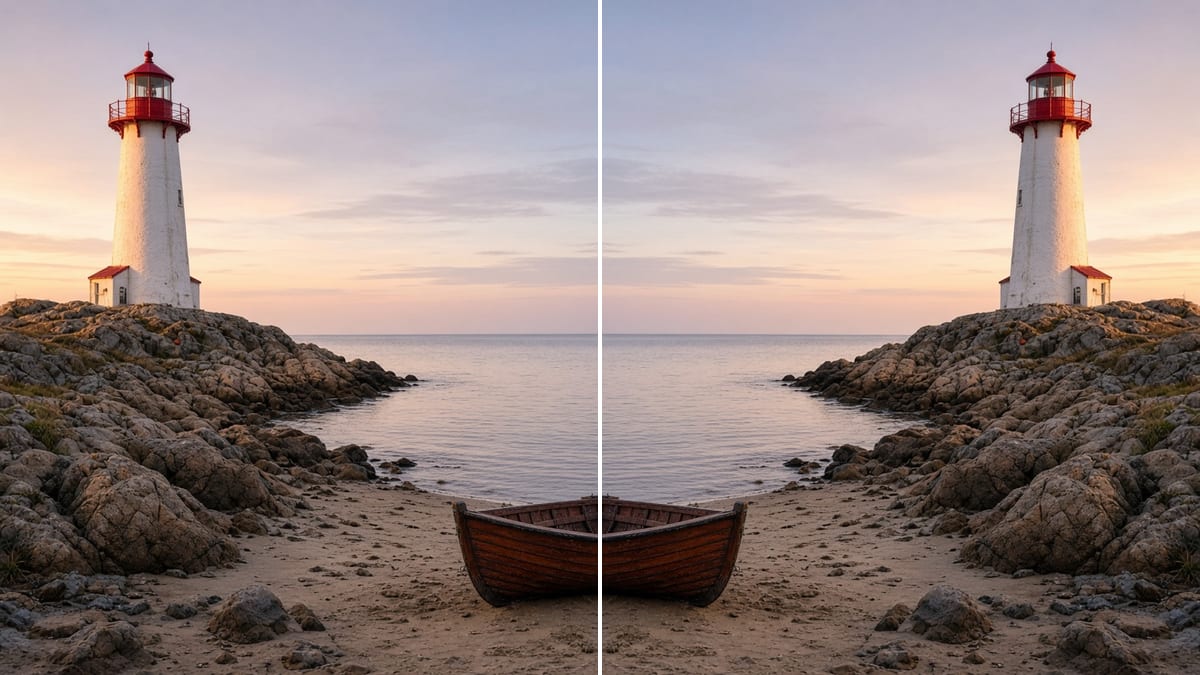
The same page also builds a reflection. Reflect right puts the original and its left-right mirror side by side, so a face becomes a perfectly symmetrical pair. Reflect below stacks the original over its top-bottom mirror, the water reflection look. Four-way tiles all four copies into one symmetrical picture. Those are the “mirror effect” results that editor suites bury behind a login.
It is not a physics lesson about plane, concave, or convex mirrors, not the D&D spell, and not reverse image search. It is not a Canva, Word, or Photoshop tutorial either. It makes a mirror image from a file you already have and gives you a new JPG, PNG, or WebP. Nothing is uploaded, and HEIC, TIFF, and PDF are declined on purpose.
What this mirror image tool does
One photo is enough. A small batch gets the same mirror on every file.
Left-right mirror image by default
Drop a photo and the left-right mirror image is already on the page. That is the job behind most mirror image searches: a selfie that reads backwards, a product shot facing the wrong way, a scene you want to read from the other side. No Apply button, no waiting.
Top-bottom and both axes
Top ↔ bottom reverses the vertical axis for an upside-down mirror image or a scan photographed the wrong way around. Both axes reverses left-right and top-bottom together, which is the same result as turning the photo 180°. Switch modes freely; the original is never changed.
Reflections and four-way symmetry
Reflect right doubles the width with the mirror image beside the original. Reflect below doubles the height with the copy underneath, the water reflection look. Four-way makes a 2×2 symmetrical tile. Long edges over 8000 px are scaled so the finished picture still fits the browser.
The preview is the download
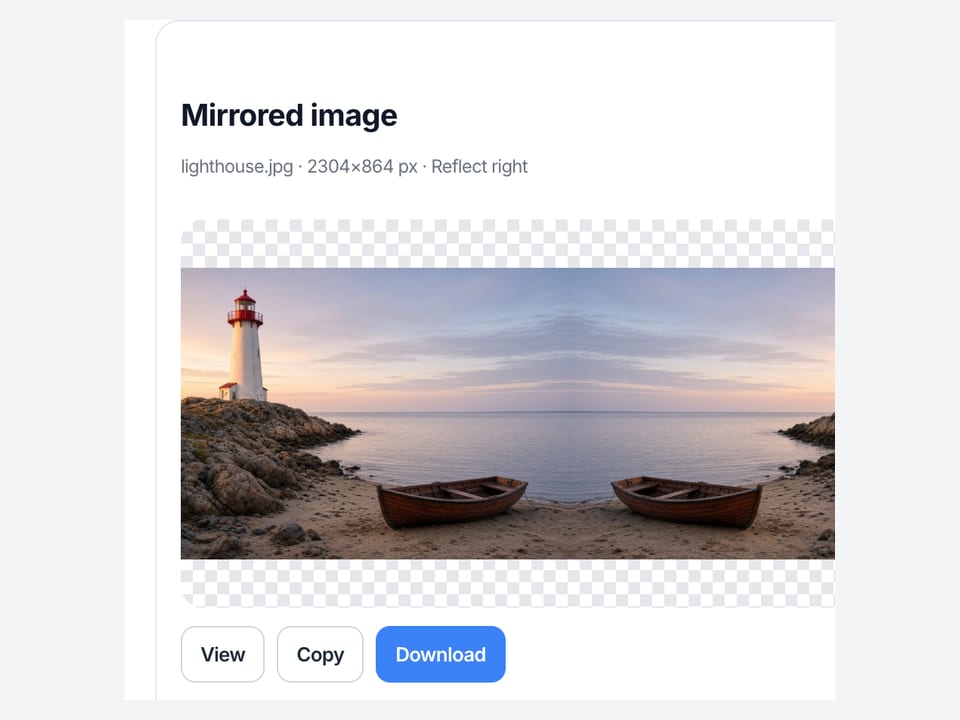
The picture in the results card is the exact mirror image file you save. Change mode, format, or quality and it redraws in place. View opens it full size on this page, Copy puts a PNG on the clipboard, Download saves JPG, PNG, or WebP. Up to 30 photos download as one ZIP.
How to mirror an image in 3 steps
Three steps to a mirror image, on a phone or a computer. No account.
Add a photo
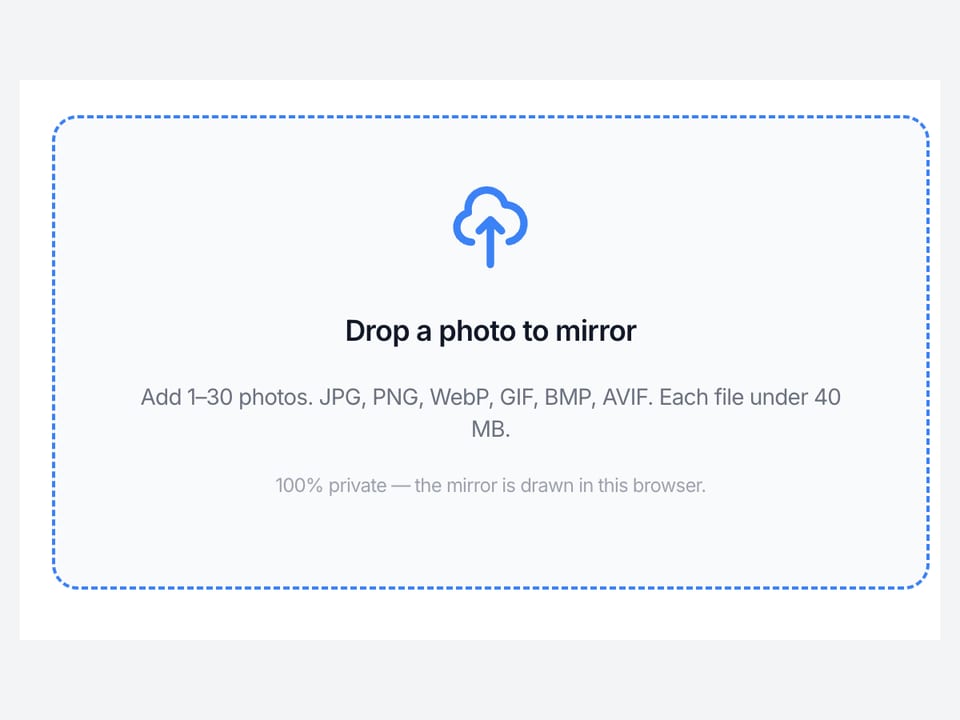
Drop a JPG, PNG, or WebP on the dashed box, or tap it to pick a file. The left-right mirror image appears right away. Add more photos if a batch needs the same mirror.
Pick a mirror mode
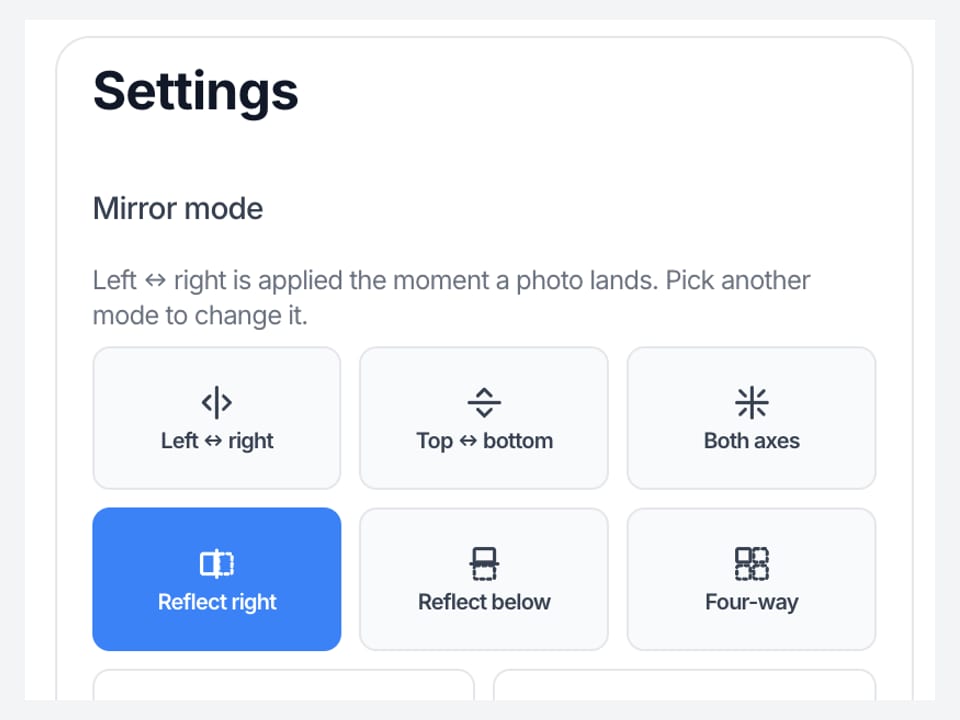
In Settings, keep Left ↔ right, or choose Top ↔ bottom, Both axes, Reflect right, Reflect below, or Four-way. Original shows the untouched photo for comparison. The preview redraws with each click.
Download the mirror image
Choose JPG, PNG, or WebP, set the quality, then View, Copy, or Download the mirror image. Two or more photos download as a ZIP with the same mode on each file.
Why make the mirror image here
This page does one thing to pixels, makes a mirror image, and hands the file back.
No upload, no account
The mirror image is a canvas draw inside this browser tab. We never receive the photo, so there is no queue, no server copy, and no login wall. Close the tab and the files on this page are gone.
Made for the mirror job, not a whole editor
Editor suites hide the mirror under Flip, Transform, or Effects, and some charge or add a watermark before export. Here the mirror image is the first thing that happens and the download is free with no watermark.
Reflections without layers
In a design app a reflection means duplicate the layer, flip the copy, align it, export. Here Reflect right, Reflect below, and Four-way are single clicks, and the seam between the two halves is pixel exact.
Honest about what it is not
We do not walk you through Canva, Word, PowerPoint, Google Docs, or Photoshop menus. We do not mirror a PDF page or rotate to 45°. Those jobs have their own pages or their own apps, and we link to the ones we have.
Limits and tips
- A left-right mirror image reverses text. If you need the words readable and the scene reversed, that is a design edit, not a mirror.
- For iron-on transfers and some print jobs the printer wants the reversed version. Use Left ↔ right and download PNG or JPG.
- Reflect right and Four-way double the width. Reflect below doubles the height. Long edges over 8000 px are scaled down first.
- Pick PNG when the photo has transparency or sharp text. JPG and WebP re-encode with the quality slider; 92 is a safe default.
- HEIC from iPhone, TIFF, and PDF are declined. Save a JPG or PNG first, then add that file. Each file must stay under 40 MB.
- A sideways photo needs Rotate Image, not a mirror. Flips plus 90° turns in one queue live on Flip Image.
Mirror image jobs that finish on this page
Three real mirror image jobs, each with the setting and the file you get back.
Un-mirror a selfie so it matches how others see you
Front cameras show you the way a mirror does. The saved file is often reversed compared with what friends see, and any shirt text reads backwards. One left-right mirror image puts it back.
Input: One selfie JPG from a phone
Setting: Left ↔ right (already on)
Output: One JPG facing the way a friend would see you
Caveat: The photo is not retouched and the camera lens is not changed.
Build a symmetrical reflection for a post or a wallpaper
A skyline, a tree line, or a portrait becomes a symmetrical picture when the original and its mirror sit together. Reflect right for a landscape pair, Reflect below for a still-water look.
Input: One landscape PNG or JPG
Setting: Reflect right or Reflect below
Output: One picture twice as wide or twice as tall
Caveat: The seam is exact, but a horizon that is not level will show a V at the join.
Reverse artwork for an iron-on or a stencil
Transfer paper prints the design reversed so it reads correctly on the shirt. Mirror the artwork here, download PNG, and print that file. A batch of designs gets the same treatment in one ZIP.
Input: Up to 30 PNG designs
Setting: Left ↔ right on all
Output: A ZIP of reversed PNG files
Caveat: Check the printer driver too; some add their own mirror and would undo this one.
Mirror here, or use a neighbor tool?
Use this page
Reverse a photo, or build a reflection
Use this URL when you want a mirror image of a photo: left-right, top-bottom, or both. It is also the page for a reflection — the original and its mirror side by side, stacked like water, or tiled four ways. The preview is the file.
Use a related tool
Turns, stacked edits, or tiles
Need to chain flips and 90° turns on one photo? Use Flip Image . Need any angle, including 45°? Use Rotate Image . Need Instagram tiles? Use Split Image . None of those pages build a reflection.
Mirror image FAQ
What does mirror image mean for a photo? +
A mirror image is the photo reversed across one axis, the way a mirror shows you. Left-right is the classic version: a part in your hair moves to the other side and text reads backwards. Top-bottom reverses the vertical axis. This page makes both, and it can also place the original beside its mirror for a reflection.
How do I mirror an image online with this page? +
Drop a JPG, PNG, or WebP on the box. The left-right mirror image is already drawn when the photo lands. If you want top-bottom, both axes, or a reflection, click that mode in Settings. Then choose a format and press Download. There is no account and the photo is never uploaded.
Is a mirror image the same as a flipped image? +
Yes for a single axis: a horizontal flip and a left-right mirror are the same reversal. The difference on this site is the job. This page starts mirrored and adds reflections. Flip Image lets you stack flips and 90° turns on one photo in any order, which is handy when a scan is both sideways and reversed.
How do I convert an image to a mirror image and back to normal? +
Add the file and the mirror image appears at once. Download it and you have the reversed copy. To go back to normal from a reversed photo, do the same thing: a second left-right mirror cancels the first one. Click Original at any time to compare with the untouched picture.
Can I make a double mirror image or a reflection effect? +
Yes. Reflect right puts the original and its mirror side by side, so half of a face becomes a symmetrical whole. Reflect below stacks the mirror underneath, the water reflection look. Four-way tiles all four copies into one picture. Each result is a single file you download; there are no layers to align.
Why does my selfie look like a mirror image? +
Front cameras preview you the way a mirror does, because that is what feels natural while framing. Some phones then save the reversed preview, others save the true view, so the file can look wrong compared with what you expected. One left-right mirror image on this page switches between the two.
How do I mirror a photo on an iPhone or Android phone? +
Open this page in Safari or Chrome on the phone, tap the box, and pick a photo from your library. The mirror image is drawn left to right as soon as it opens. Tap Download to save it back to the phone. HEIC from an iPhone is declined here, so choose a JPG or set the camera to Most Compatible first.
Does this replace mirror image in Canva, Word, PowerPoint, or Photoshop? +
No. Those searches want the Flip or Transform menu inside a particular app, and Google Docs has no flip at all. This page does not open those programs. It reverses a file you already have and gives you a new one to insert wherever you like, which is often faster than finding the menu.
How do I mirror an image for printing an iron-on transfer? +
Transfer paper needs the reversed version so the design reads correctly once it is pressed onto fabric. Add the artwork, keep Left ↔ right, and download PNG so lines stay sharp. Then print that PNG. Check that the printer driver does not add a second mirror, which would undo this one.
Can I mirror a PDF page or a Word document here? +
No. This page opens photo formats only: JPG, PNG, WebP, GIF, BMP, and AVIF. A PDF is declined with a pointer to a page that handles PDF. If you need one page of a PDF reversed, export that page as a PNG first, then add the PNG here.
Is this a mirror image app, or do I need to download one? +
Nothing to install. This page is the app: it runs in the browser tab on a phone, tablet, or computer. There is no Chrome extension, no desktop installer, and no account. If you searched for the best free mirror image app, the honest answer is that a canvas in the browser already does this job.
Can I mirror more than one image at once? +
Yes. Add up to 30 photos. The mode you choose applies to every file in the queue, and the mirror images download as one ZIP. Click a thumbnail to check any single photo before you save. Each file must stay under 40 MB.
What formats and sizes does it accept, and what do I get back? +
In: JPG, PNG, WebP, GIF, BMP, and AVIF, each under 40 MB. Out: JPG, PNG, or WebP, your choice. Reflections double one or both edges, so a side longer than 8000 px is scaled down before the draw. HEIC, TIFF, and PDF are rejected on purpose.
Will the mirror image lose quality? +
The reversal itself moves pixels without resampling, so nothing is blurred by the mirror. Saving as JPG or WebP re-encodes the picture at the quality you set; 92 is a safe default. Pick PNG for a lossless file, sharp text, or transparency.
Is it free, and is it private? +
Free, with no account and no watermark. The mirror image is drawn on a canvas inside this tab, so the photo is never uploaded to our server and there is nothing to delete afterwards. Close the tab and the files on this page are gone.
Can I also rotate the image 90 degrees here? +
Not on this page. Both axes gives you the 180° result, but a quarter turn is a rotate, not a mirror. Rotate Image handles 90° and any custom angle, and Flip Image lets you combine flips with 90° turns on one photo. Both are linked in Settings.
Is this reverse image search? +
No. Reverse image search means uploading a picture to find where else it appears on the web. This page never uploads anything and does not search. “Reverse” here only means the photo is reversed left to right or top to bottom.
Can I mirror text or handwriting to read it? +
Yes, if it is in a photo. A left-right mirror image makes reversed text readable again, which is how people decode mirror writing or a note photographed in a mirror. It does not type mirrored text for you, and it does not turn a font backwards without a picture.
Does this explain mirror images in maths, physics, or the D&D spell? +
No. Concave and convex mirror images, lateral inversion, chemistry isomers, and the Mirror Image spell are different topics with their own pages elsewhere. This is a photo tool. If you need a reversed picture for a worksheet or a card, it will make that file.
Do you have mirror image prompts for Gemini or ChatGPT? +
No. Those prompts generate a new AI picture of someone standing at a mirror. This page does not generate anything and does not send your photo to a model. It reverses the exact pixels you give it, so the result is your photo, not a lookalike.
Ready to make a mirror image
Add a photo above. The mirror image is ready the moment it lands. Pick a reflection if you want one, then download.
Mirror an image